
On September 4, 2026, the architecture world took note as Graphisoft announced an experimental Claude integration for its leading BIM software, Archicad. The promise is tantalizing: describe a design concept in natural language and see it visualized. Architects are already using Claude 3.5 to brainstorm styles, generate material lists, and write creative briefs. Yet, a significant gap has emerged between concept and creation.
Professionals are discovering that while Claude is an exceptional creative partner for developing architectural narratives, its output is often too poetic, verbose, or imprecise for direct use in image generation tools. A beautiful paragraph describing 'biophilic brutalism' can result in a generic, muddy image when pasted into an AI generator. This leaves architects with a brilliant idea but no clear path to a finished, client-ready visual.
This is not a failure of the architect or the AI. It's a production challenge. You need a platform that can translate creative intention into a finished result. This guide provides a practical method for pairing Claude's conceptual power with MyUP's production capabilities to create a complete set of high-fidelity, stylistically consistent architectural visuals, from dramatic exteriors to tactile material details.
On September 4, 2026, the architecture world took note as Graphisoft announced an experimental Claude integration for its leading BIM software, Archicad. The promise is tantalizing: describe a design concept in natural language and see it visualized. Architects are already using Claude 3.5 to brainstorm styles, generate material lists, and write creative briefs. Yet, a significant gap has emerged between concept and creation.
Professionals are discovering that while Claude is an exceptional creative partner for developing architectural narratives, its output is often too poetic, verbose, or imprecise for direct use in image generation tools. A beautiful paragraph describing 'biophilic brutalism' can result in a generic, muddy image when pasted into an AI generator. This leaves architects with a brilliant idea but no clear path to a finished, client-ready visual.
This is not a failure of the architect or the AI. It's a production challenge. You need a platform that can translate creative intention into a finished result. This guide provides a practical method for pairing Claude's conceptual power with MyUP's production capabilities to create a complete set of high-fidelity, stylistically consistent architectural visuals, from dramatic exteriors to tactile material details.
Step 1: Conceptualizing your architectural vision with Claude
The first step is to use Claude as a conceptual partner, not a prompt-writing machine. Your goal is to define the soul of the project. Instead of asking for a single, perfect prompt, engage Claude in an iterative conversation to flesh out the core ideas. Use its 'Artifacts' feature to maintain context as you refine the vision.
Focus your conversation on defining the key pillars of the design:
- Style and Mood: Go beyond simple terms. Instead of 'modern house,' explore concepts like 'a minimalist coastal retreat that embraces wabi-sabi principles' or 'a residential tower inspired by the crystalline structures of bismuth.'
- Materials and Textures: Get specific. Ask Claude to describe the interplay of materials. For example, 'the rough texture of board-formed concrete against the warmth of unstained cedar cladding' or 'the reflection of light on polished terrazzo floors.'
- Lighting and Atmosphere: Define the time of day and quality of light. Is it the 'sharp, dramatic light of a late autumn afternoon' or the 'soft, diffused glow of an overcast morning'?
At the end of this stage, you won't have a single prompt. You will have a rich, detailed design brief—the raw material for visual production.
Step 2: From verbose brief to actionable intention
This is the most critical step, where most architects get stuck. Do not copy-paste Claude's multi-paragraph description into an image generator. Instead, distill the brief into a set of core creative intentions. This isn't about shortening the text; it's about translating narrative into actionable visual commands.
From your Claude-generated brief, extract a bulleted list of essential directives. For our 'biophilic brutalist' concept, this might look like:
- Core Intention: A secluded forest home where raw concrete structures are softened by abundant plant life.
- Key Visuals: Massive board-formed concrete walls, large glass panes, integrated planters with overgrown ferns and vines, warm interior lighting.
- Atmosphere: Misty morning, soft and diffused natural light, sense of tranquility and solitude.
- Color Palette: Muted grays of concrete, deep greens of foliage, warm yellows of interior light, dark tones of anodized metal window frames.
This concise list is your true intention. It's not a prompt; it's a production plan that MyUP can now execute.
Step 3: Producing a complete visual set with MyUP
With your intention defined, you can move from ideation to production. In MyUP, you don't feed the platform a single, fragile prompt and hope for the best. You provide your core intention, and MyUP handles the technical execution to deliver a complete set of finished creations ready for a client presentation.
Instead of trying to force one prompt to do everything, you can use specialized creative templates to generate different views of your project, all while maintaining a consistent aesthetic. This is the key to professional results. For example, a single architectural concept can be realized across multiple shots:
- A dramatic exterior hero shot.
- A lifestyle interior view showing the space in use.
- A macro detail shot of a specific material or joint.
- A vertical format for social media previews.
This mirrors the production of a real-world photoshoot, ensuring you have a full suite of assets to tell your project's story.
Producing dramatic exterior renders with cinematic flair
Your primary exterior shot needs to make an impact. It should capture the essence of your design and its relationship with the environment. This requires control over scale, lighting, and atmosphere that goes beyond a simple text prompt. In MyUP, you can use templates designed for cinematic scope and adapt them to an architectural context.
For instance, a template built for epic film sequences can provide the perfect foundation for a powerful architectural render. Its built-in logic for handling massive structures, dramatic lighting, and atmospheric effects like fog or rain can be directly applied to your building. This allows you to focus on the creative direction—the mood and the story—while the platform manages the complex visual execution. For a truly dramatic and monumental exterior, a template like Cinematic Trojan Horse Siege Short Film (Template: #myup-e4ti-dcrw) provides the perfect production setup for capturing imposing scale and atmospheric depth.
Cinematic Trojan Horse Siege Short Film
Build high-tension cinematic sequences that shift from massive exterior monuments to claustrophobic interior details. It tracks subtle movements like shifting shadows and creeping fog to weave a suspenseful narrative, perfect for turning any static subject into a gripping, atmospheric story that unfolds through tight, gritty visual perspectives.
Regenerate using your own assets.
Crafting hyperrealistic interior details and material studies
A successful architectural presentation goes beyond the big picture; it reveals the tactile quality of the interior spaces. You need to convey the feeling of light on a surface or the texture of a chosen material. This requires a high degree of realism that can be difficult to achieve with generic prompts.
MyUP allows you to generate these high-fidelity shots by using templates that are obsessed with detail, texture, and light interaction. A template designed for hyperrealistic fashion editorials, for example, already contains the production logic for rendering realistic fabrics and skin tones under specific lighting. When repurposed for an interior, this same logic can produce incredibly realistic wood grain, stone veining, or fabric textures, bringing your material palette to life. The Hyperrealistic High Angle Fashion Editorial template (Template: #myup-lkxt-mwbw) is excellent for this, creating grounded, textured shots that make materials feel tangible.
Hyperrealistic High Angle Fashion Editorial
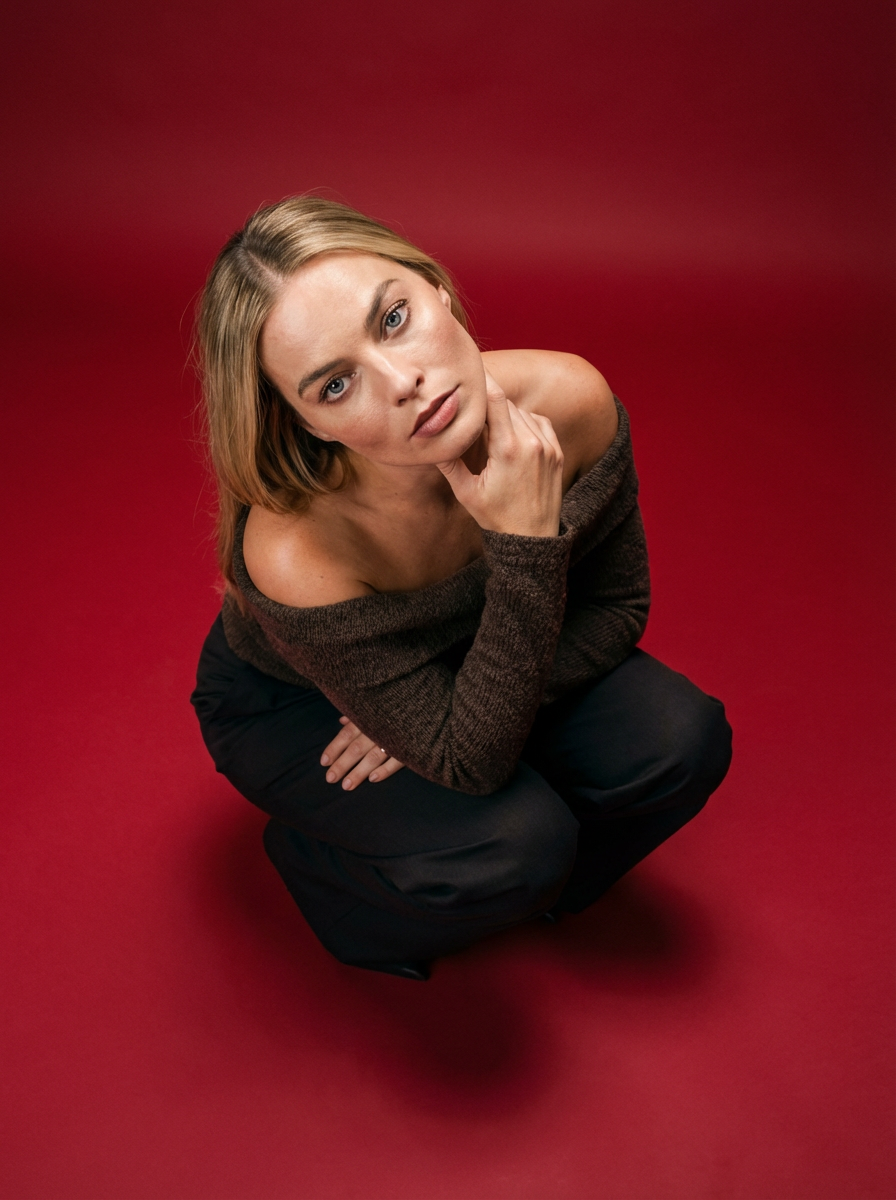
Frame your subject in a grounded, high-angle editorial style. This setup forces a compact, kneeling pose that brings out a raw and hyperrealistic fashion aesthetic, perfect for making any garment or accessory look sharp and intentional.
Regenerate using your own assets.
Showcasing intricate design elements with macro precision
To showcase the quality and craftsmanship of your design, you need to get close. Whether it's the joinery of a custom cabinet, the finish on a metal fixture, or the edge of a cantilevered slab, macro shots communicate a level of detail that builds client confidence. These shots are not just zoomed-in images; they are carefully composed visuals that treat small elements like luxury products.
Using a template designed for high-end product or craft advertising is the most effective way to achieve this. These templates are built to handle macro photography, controlling depth of field, surface reflections, and micro-textures to create a sense of preciousness and precision. You can use Visuel Publicitaire Macro Artisanat Luxe (Template: #myup-ppxv-lst0) to isolate a specific design detail and render it with the polish of a luxury watch advertisement, turning a simple joint into a statement of quality.
Visuel Publicitaire Macro Artisanat Luxe
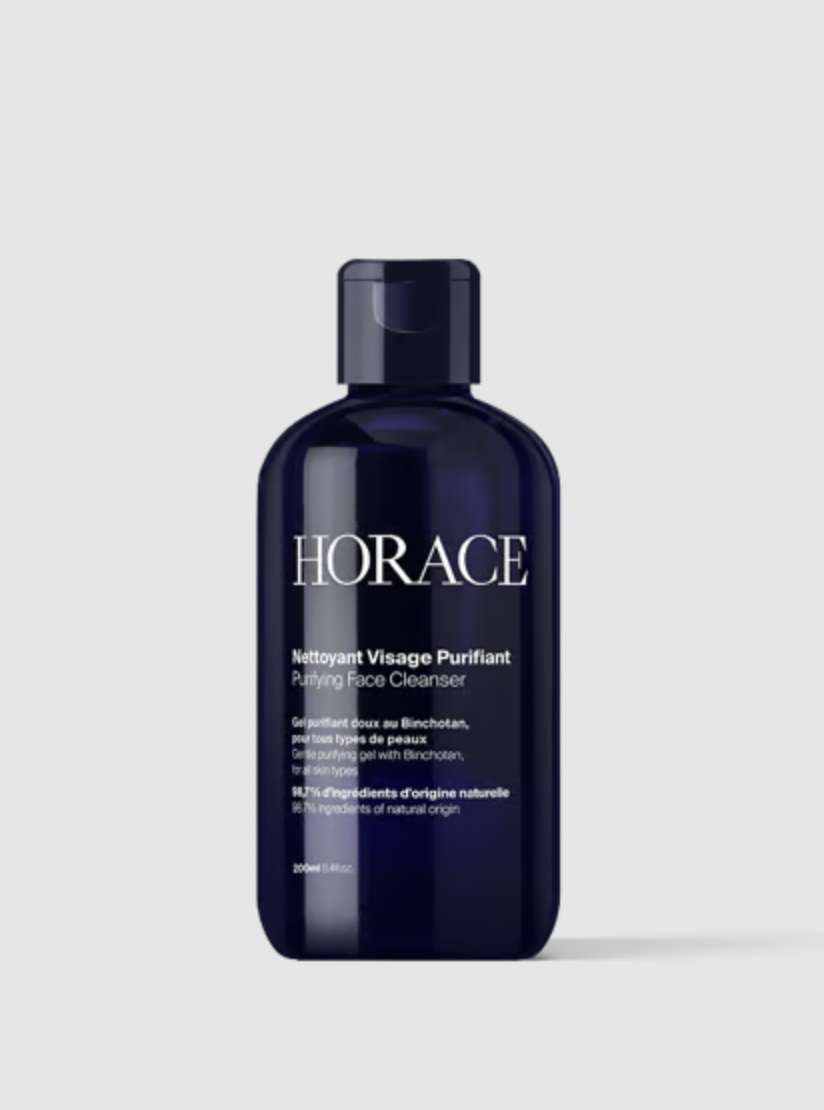
Transformez vos prises de vue en compositions narratives riches axées sur la texture et le savoir-faire. Ce système fusionne vos détails macro avec une mise en scène soignée pour sublimer l'identité visuelle de n'importe quel objet artisanal.
Regenerate using your own assets.
Maintaining visual consistency across all your architectural renders
Perhaps the biggest challenge when generating multiple AI visuals is maintaining consistency. A client presentation with clashing styles, lighting, or color palettes looks unprofessional. Your exterior, interior, and detail shots must feel like they belong to the same project and the same world. This is where a production platform becomes essential.
Within MyUP, you use a Brandkit to enforce visual consistency across every single creation. You define your project's aesthetic once—the specific gray of your concrete, the warmth of your lighting, the mood of your atmosphere—by uploading reference images or describing the style. MyUP then automatically applies this identity to every template you use. Your cinematic exterior, your tactile interior, and your macro detail shot will all share the same DNA, resulting in a cohesive and professional presentation package. This moves you from generating disconnected images to producing a unified architectural campaign.
Beyond 3D software: the future of architectural visualization
The integration of LLMs like Claude into architectural design is not about replacing the architect. It's about elevating their role, allowing them to focus more on creative conception and less on tedious technical production. Claude is your conceptual partner, perfect for defining the 'what' and 'why' of your design.
But to bring that vision to life for a client, you need a production platform. MyUP is the 'how.' It provides the bridge from abstract language to finished, studio-quality visuals without the steep learning curve of traditional 3D rendering software. By separating the act of intention from the act of production, architects can finally create at the speed of their imagination, delivering complete, consistent, and compelling visual presentations that win projects.
