In August 2026, the news that Amazon could use Twitch streams to train its AI models sent a clear signal to creators: your content is your brand, and you need to own it. For too long, streamers have been stuck between two bad options: using the same generic templates as everyone else, or spending a fortune on a custom designer. One-off AI image generators promised a third way, but left creators with a folder of cool but inconsistent images that don't build a coherent brand.
Your stream deserves better than a generic overlay pack or a set of emotes that look like they belong to five different channels. Your brand is your identity. This is the definitive workflow to build a complete, professional, and unique Twitch asset pack using a brand-aware AI. It's time to stop renting a look and start owning your brand.
Step 1: Create your brand foundation in 60 seconds
Before you generate a single emote or overlay, you need a brand foundation. This is your unique visual DNA: your logo, your specific color palette, and your fonts. Without this, every asset you create will be a random guess. This is where most AI tools fail streamers—they generate images, not brands.
MyUP solves this with the Brandkit. It’s a central hub for your visual identity that ensures every single asset you create is automatically on-brand. And you don't need to be a designer to build it. In fact, you can create it instantly just by using your existing channel.
Simply enter your Twitch channel URL into MyUP. The platform analyzes your page and automatically pulls your logo, extracts your primary and secondary colors, and identifies your fonts. It builds a complete Brandkit for you in under a minute. This is your command center. From this point on, every workflow you run will use these elements to ensure perfect consistency, from the hex code of your accent color to the font weight on your 'Be Right Back' screen. The user validates the choices; MyUP handles the production.
Step 2: Generate a full set of consistent, on-brand emotes
Emotes are the language of your community, but generating a consistent set with AI has been nearly impossible. You get one great 'Hype' emote, but the 'GG' version looks like a different character drawn by a different artist. This is the exact problem that new character consistency features in AI models are trying to solve.
A brand-aware workflow gives you more direct control. Using your MyUP Brandkit, you can define your character's core features and style once. Then, you can prompt for different expressions—Hype, Sad, GG, Love—and the system will generate variations that are instantly recognizable as the same character, rendered in your brand's style.
For clean, sticker-style emotes that pop in chat, the 'Product Stickers' workflow is the perfect tool. It generates your character on a transparent background with a clean die-cut outline, ready to upload directly to Twitch.
Workflow code: #myup-swqt-4zo3
Product Stickers

Turn your logo into a nostalgic, vibrant Y2K-style vertical ad. It automatically pulls your brand colors to create matching sweet treats like custom donuts or cupcakes in the background, giving you a super playful retro-pop aesthetic.
Regenerate using your own assets.
Step 3: Design your stream scenes and overlays
Your stream scenes—'Starting Soon', 'Be Right Back', 'Stream Ending'—are your digital stage. They set the mood and professionalize your broadcast. A generic template screams 'beginner', while a custom design shows you're serious. But you don't need After Effects to create them.
In MyUP, you can generate a stunning, unique background image with a simple prompt like, 'a cozy, lofi anime desk scene at night, with glowing purple neon'. MyUP then automatically layers your Brandkit elements on top. Your logo and text like 'Stream Starting Soon' will appear in the correct font and colors without you having to manually place them. This hybrid approach gives you the creative power of AI image generation with the precision of brand control.
You can even use MyUP to create promotional graphics like a weekly stream schedule. A layout-focused template like the 'Bold Editorial Grid Poster' can quickly organize your schedule into a clean, stylish graphic perfect for sharing on X/Twitter or in your Discord.
Workflow code: #myup-n0bi-2wzk
Bold Editorial Grid Poster

Create striking 2x3 editorial posters with six seamless, flat-color square cards in a perfect 4:5 grid. There are absolutely no gaps between the blocks, giving your content a bold, high-contrast magazine layout. It looks incredibly clean on any social feed.
Regenerate using your own assets.
Step 4: Build your community assets: subscriber badges and panels
Subscriber badges are a key way to reward your loyal supporters. They need to show a clear visual progression—from 1 month to 1 year—while remaining stylistically consistent. This is another task where one-off AI image generators struggle.
Using your Brandkit as the foundation, you can set a style and then prompt for variations. For example, start with 'a simple blue crystal shard subscriber badge'. For the next tier, prompt 'a more complex and glowing blue crystal shard subscriber badge with small silver details'. MyUP maintains the core style while iterating on the concept, giving you a cohesive set.
Just like with emotes, the 'Product Stickers' workflow is ideal for creating subscriber badges and channel info panels. It delivers clean, isolated graphics with transparent backgrounds, making them easy to upload and use across your channel.
Workflow code: #myup-swqt-4zo3
Step 5: Promote your stream everywhere with one click
Your brand isn't just on Twitch. It's on X/Twitter, Instagram, TikTok, and YouTube. The biggest advantage of a content system over a single tool is the ability to create assets for every platform without starting from scratch. Because your Brandkit is already saved in MyUP, it's ready to be applied to any format.
Need to announce you're going live? Generate an on-brand post for X/Twitter. Want to share a stream clip on Instagram? Create a branded frame for your video. You can even create high-click YouTube thumbnails for your VODs that share the exact same visual identity as your live stream.
For a unique promotional graphic to post on Instagram, try a workflow like the 'Y2K Scrapbook Collage Creator'. It can take a screenshot from your stream and instantly turn it into a stylish, on-brand collage to grab attention.
Workflow code: #myup-sacz-tjdn
Y2K Scrapbook Collage Creator
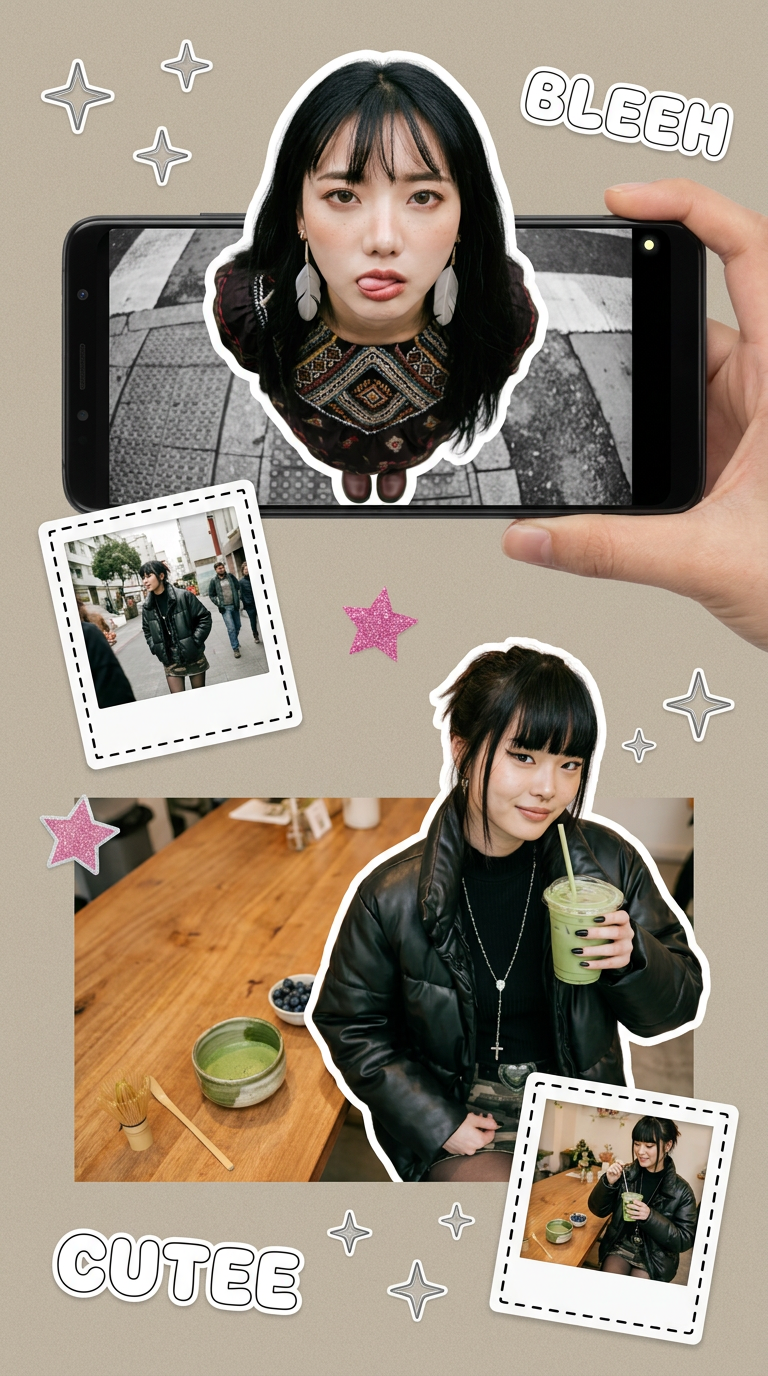
Put two different people into the same scene without losing their real-world features. Just upload two portraits and drop them together into any setting or style you need. It keeps both faces incredibly accurate.
Regenerate using your own assets.
From streamer to brand: Your AI content system is ready
By following this workflow, you haven't just created a few assets. You've built a repeatable content production system for your personal brand. The next time you need a new emote, a special event overlay, or a promotional graphic, your brand foundation is ready. You don't have to find that specific hex code or remember which font you used. MyUP handles the consistency, letting you focus on the creative idea.
Your stream is your business. In a world where content can become generic training data, the most valuable thing you can build is a brand that is unmistakably, consistently yours. MyUP is the platform where you control and scale that identity with AI.
