You typed “AI mood board generator” into your tool of choice, full of hope. You described your brand: maybe “minimalist and earthy” or “bold and futuristic.” What you got back was a mess. A random collage of stock-like photos that share a vague color scheme but have no point of view, no consistency, and no real utility. Your frustration is valid. The problem isn't your prompt; it's the process. A mood board isn't a collection of images; it's a visual thesis statement. And to create one with AI, you need a workflow that enforces a set of rules. This guide will walk you through that exact workflow, using MyUP.ai to define your brand's visual DNA *before* you generate a single image.
Why your AI-generated mood board is a generic mess
The core issue is that most AI image generators are designed for one-off creations, not systematic world-building. Without a strong set of constraints, the AI defaults to the most statistically common interpretation of your words. “Earthy” brings up pictures of plants and brown tones. “Futuristic” delivers neon grids and chrome. The results are cliché because the AI has no deeper context about *your* specific vision. It doesn't understand the nuance of your brand's personality, typography, or photographic style.
This is the exact problem of visual consistency that major players like Adobe are trying to solve with features like Style Reference. But these solutions often rely on a single source image, which forces the AI to mimic one execution rather than learn a flexible system of rules. Midjourney's new `--srandom` parameter is an admission of the same challenge: it's hard to define a unique style, so why not just try a random one? But brands aren't built on randomness. They are built on deliberate, repeatable choices.
A useful mood board provides a visual language. Every image—whether it’s a portrait, a product shot, or an abstract texture—should feel like it was created by the same artist with the same intent. To achieve that with AI, you can't just prompt and pray. You need to give the AI a rulebook.
The fix: From random images to a rule-based Brandkit
The rulebook for your brand's visual identity on MyUP.ai is the Brandkit. Instead of starting with a prompt for a final image, you start by defining the foundational elements of your style. A Brandkit isn't just a folder of assets; it's a set of instructions that governs every piece of content MyUP generates for you. It codifies your:
- Color Palette: Your exact primary and secondary hex codes.
- Typography: Your chosen font families and styles.
- Logo: Your primary brand mark.
- Style Descriptors: This is the most crucial part for mood boarding. Here, you translate your brand's abstract vibe into concrete, descriptive keywords that guide the AI's aesthetic choices.
By building a Brandkit first, you shift from being a prompter to being a creative director. You establish the visual strategy, and MyUP handles the execution, ensuring every image generated adheres to your defined system. It’s the difference between asking for a single “sad song” and handing the orchestra a full musical score titled “Melancholy in C Minor.” You get cohesion, depth, and a point of view. This is how you build a complete visual identity, not just a collection of pictures.
Step 1: Build your visual thesis in a MyUP Brandkit
Before generating anything, you need to articulate your style. In MyUP.ai, create a new Brandkit and focus on the Style Descriptors. This is where you'll craft your visual thesis. Avoid generic, single-word prompts. Instead, build a string of phrases that describe texture, lighting, composition, and mood. Think like a photographer or art director.
Here are a few examples:
- Instead of “minimalist”: Try “Warm Scandinavian minimalism, soft natural lighting, uncluttered composition, matte finish, desaturated earth tones.”
- Instead of “techy”: Try “Clean isometric illustration, glowing neon accents on a dark background, data visualization aesthetic, precise line work, high-tech interface elements.”
- Instead of “vintage”: Try “1970s film photography, grainy texture, high contrast, warm golden hour light, lens flare, saturated colors, candid composition.”
Be specific about the medium (e.g., “35mm film photograph,” “risograph print,” “watercolor illustration”) and the feeling (“serene and calm,” “energetic and vibrant”). Once you've added your colors, fonts, and these powerful style descriptors, your Brandkit is ready. It's now the engine that will power all of your visual creation.
Step 2: Generate a cohesive image collection, not just single shots
With your Brandkit selected in MyUP, you can now start generating the components of your mood board. The magic is that your core style is already locked in. You only need to change the subject of your prompt. This allows you to explore different facets of your brand world while maintaining a consistent aesthetic.
Generate a series of images covering different categories:
- People: “A portrait of a person smiling, looking off-camera.”
- Places: “An empty cafe interior during early morning.”
- Things: “A close-up flat lay of a ceramic mug and an open notebook.”
- Textures: “A macro shot of crumpled linen fabric.”
Because the Brandkit is active, the AI will apply your “1970s film photography” or “Warm Scandinavian minimalism” style to every single one of these prompts. The portrait, the cafe, the flat lay—they will all look like they belong in the same campaign. The user validates the output, but MyUP ensures the core style is never compromised.
Need a specific texture to complete your mood? A template can get you a high-quality, specific result instantly. For example, to generate a tactile paper element that fits your aesthetic, use this workflow.
Workflow code: #myup-hcix-fsva
Textured Paper Calendar Close-Up
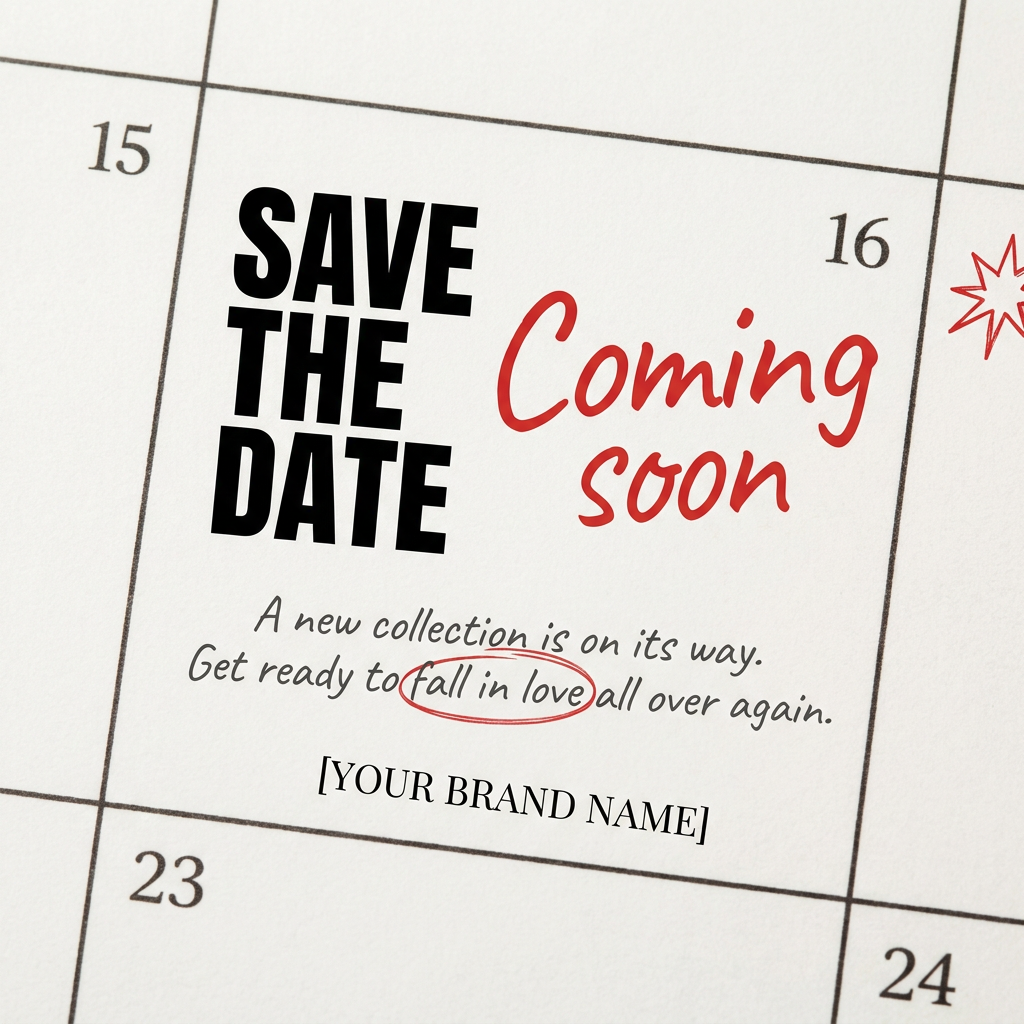
Turn your upcoming dates or launch schedule into a beautiful, tactile physical calendar. It renders crisp minimalist grids on heavy textured paper with realistic macro focus. Perfect for sharing events on social media without looking like a generic graphic.
Regenerate using your own assets.
Step 3: Assemble and present your brand's new mood
Once you have a collection of 5-10 stylistically aligned images, it's time to assemble them into the final mood board asset. You're not just dropping them into a grid; you're creating a composition that tells a story. Look for visual rhymes between the images—a color that repeats, a line that continues from one photo to the next, or a recurring texture.
This is where a creative layout template can save you hours. Instead of fighting with layers in a design tool, you can use a workflow designed to create visually interesting collages. This allows you to focus on the curation and arrangement, knowing the final output will look polished and intentional.
To create a dynamic, scrapbook-style mood board from your generated images, this workflow is the perfect next step.
Workflow code: #myup-sacz-tjdn
Y2K Scrapbook Collage Creator
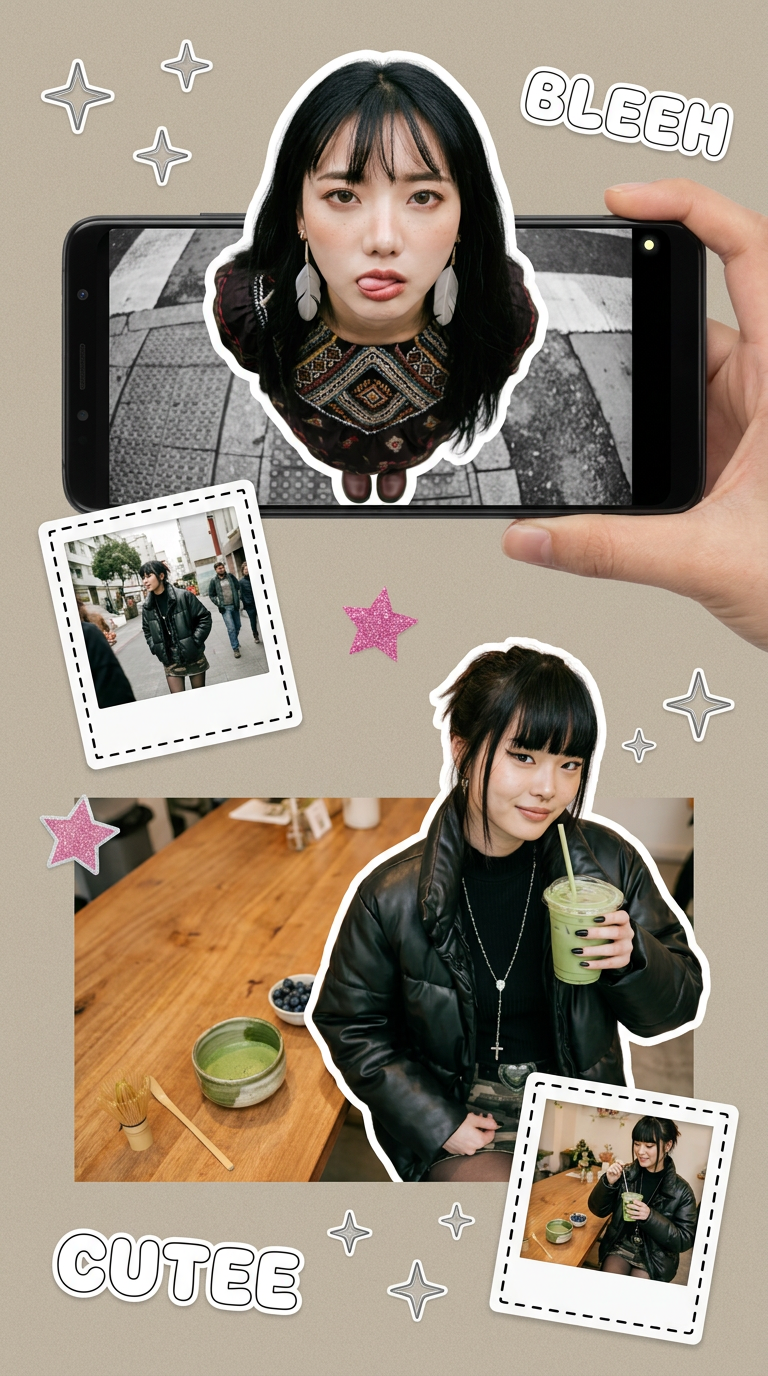
Put two different people into the same scene without losing their real-world features. Just upload two portraits and drop them together into any setting or style you need. It keeps both faces incredibly accurate.
Regenerate using your own assets.
From mood board to marketing asset: Putting your style to work
The most powerful part of this workflow is that the mood board is not the end product. It's the beginning. The Brandkit you created is a living asset, ready to be used for every piece of content you produce next. The visual language you defined is now ready to be deployed across social media posts, ads, website banners, and presentations.
You've moved beyond the challenge of creating consistent brand assets and established a production system. You no longer need to copy-paste a long style prompt for every generation. Simply select your Brandkit, describe the subject, and let MyUP create a perfectly on-brand visual.
Ready to see it in action? Take the style you just defined and apply it to a real-world marketing asset. This workflow generates an elegant advertising poster, automatically infused with your Brandkit's style.
Workflow code: #myup-fy77-jljs
Minimalist Elegant Product Advertising Poster

Turn any product shot into a high-end editorial ad. It places your item against a soft cream background with airy spacing and adds elegant, small serif typography at the top. Great for wellness or luxury brands wanting a calm, minimal aesthetic.
Regenerate using your own assets.
This is how you scale a brand's visual identity with AI: not by creating one-off images, but by building a system that generates consistency on demand.
