Why your AI clothing mockups look fake
You’ve seen them: AI clothing mockups that promise the world but deliver a digital disappointment. The fabric looks like plastic, stiff and lifeless, refusing to conform to the body. And the logo? It floats awkwardly on the garment, a flat, two-dimensional sticker slapped onto a pseudo-3D surface. This isn’t the polished, high-converting visual you need for your latest product drop. It’s a common frustration for fashion brands and e-commerce operators trying to leverage AI for visual content. The promise of speed and cost savings often clashes with the reality of unconvincing results.
The root of the problem lies in the nuances of textile physics and graphic integration. Generic AI tools struggle to simulate the way light interacts with different fabric weaves, how gravity pulls on a silk blouse versus a heavy cotton hoodie, or how a logo should naturally wrap and distort around a crease. This isn’t just about generating an image; it’s about producing a believable, professional creation that resonates with your customers.
But what if you could describe your vision — say, a model wearing your new t-shirt, with the logo perfectly placed and the fabric falling just right — and receive a studio-quality, finished result, ready to publish? That’s exactly what MyUP is built to do: transform your creative intention into a tangible, photorealistic asset, handling all the complex production details for you.
The old method: Juggling prompts and pixels
Before platforms like MyUP, achieving realistic AI clothing mockups often meant a convoluted, multi-tool production process. You𠆝 start by generating a base image of a model, perhaps in a generic AI image generator. Then, you𠆝 export that image and painstakingly attempt to superimpose your clothing design and logo using photo editing software like Photoshop. This manual editing involved:
- Attempting to warp and distort your logo to match the subtle curves and folds of the garment.
- Manually adding shadows and highlights to make the logo appear integrated, rather than “pasted on.”
- Trying to enhance the fabric’s texture and drape, often with limited success, to avoid that synthetic look.
- Repeating this entire process for every single product variation, color, or model pose.
This fragmented approach was not only time-consuming but also required significant design expertise, turning what should be a straightforward creative realization into a technical headache. It meant that instead of focusing on brand vision and marketing strategy, teams were bogged down in pixel-level adjustments. MyUP was engineered to bypass this complexity, delivering a complete creative production from A to Z.
A practical guide to creating photorealistic mockups with MyUP
MyUP approaches clothing mockup creation not as a series of disconnected prompts, but as a holistic creative production. You define your intention, and MyUP’s platform takes care of the intricate steps — from model generation to fabric simulation and precise logo application — to deliver a finished, publish-ready visual. Here’s how to achieve photorealistic AI clothing mockups with natural drape and integrated branding.
Step 1: Establish your brand identity for automated consistency
The foundation of consistent, on-brand visual creation on MyUP is your Brandkit. Instead of repeatedly uploading your logo and specifying brand colors, you build your visual identity once. This Brandkit — which includes your logo, color palette, fonts, and overall brand style — is then automatically applied across all your creations. This ensures every mockup, ad, or graphic maintains perfect visual consistency without any manual intervention.
For clothing mockups, your Brandkit is crucial for accurate logo placement. MyUP uses this pre-defined branding to intelligently integrate your logo onto garments, respecting its proportions and ensuring it adheres to your brand guidelines every time.
Step 2: Generate the on-model base with realistic anatomy
The first step in creating a convincing clothing mockup is to generate a realistic on-model base. This involves selecting or describing the ideal human figure, pose, and initial garment shape. MyUP’s advanced image generation capabilities can create diverse models with realistic anatomy, ensuring your clothing is presented on a believable human form.
When crafting your intention, consider the model’s body type, the specific pose that best showcases your garment, and the overall mood you want to convey. For a versatile base that focuses on the human form, you might start with a template designed for anatomical realism.
Template: #myup-y0dr-cumd
Realistic Full Body Fashion Portrait
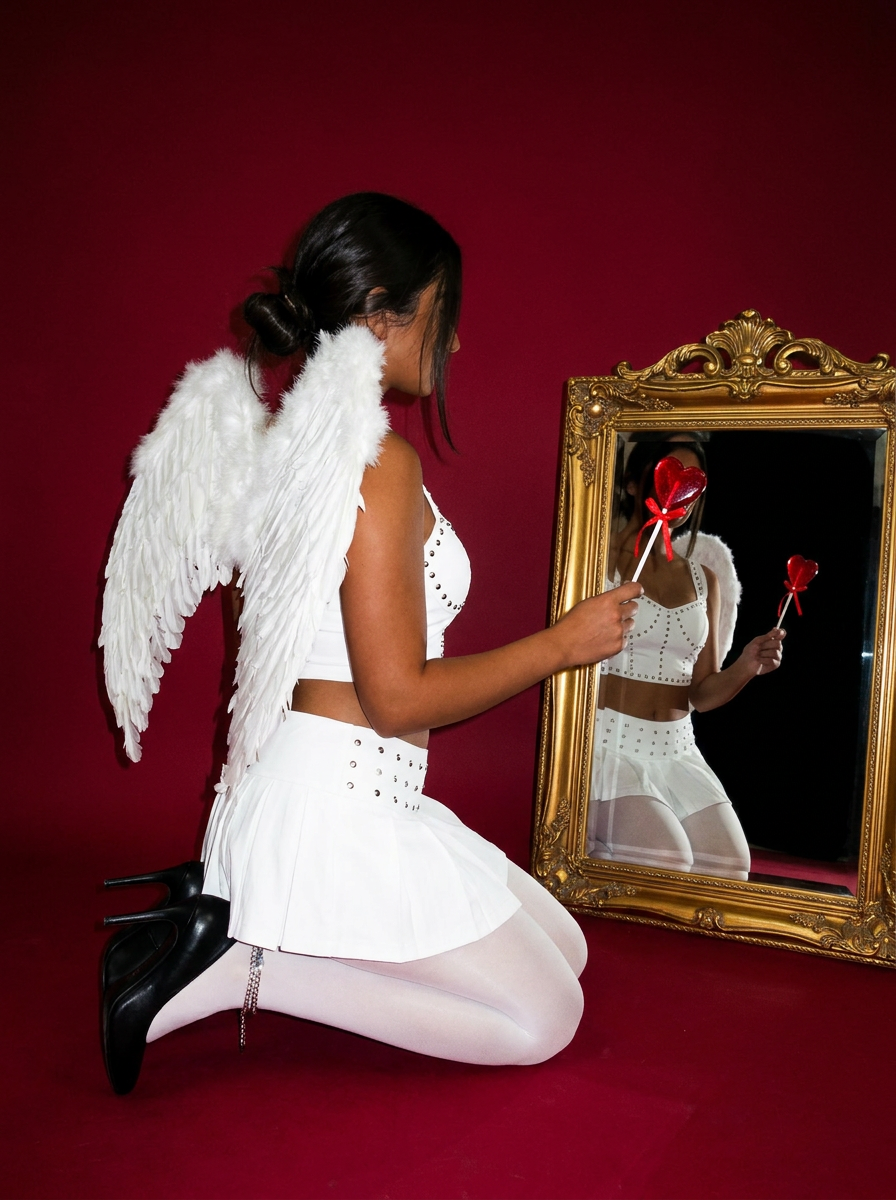
Focus entirely on the anatomy and physical silhouette of your subject. By stripping away facial features and locking into a clean side profile, this system captures hair texture, skin tone, and body morphology with total precision. It is built to turn any figure into a minimalist, high-fidelity study.
Regenerate using your own assets.
This template focuses on capturing the physical silhouette and proportions, which is essential before adding the detailed fabric and branding.
Step 3: Define the fabric's weight and texture for a natural drape
This is where many generic AI tools falter, producing that dreaded “plastic fabric” look. MyUP excels here by understanding material properties. When you define your intention, you can specify the fabric type — be it a crisp cotton, a flowing silk, a structured denim, or a cozy fleece. MyUP’s creative production platform then simulates how that specific material would naturally drape, fold, and interact with light and gravity on the model.
The result is a mockup where the garment exhibits realistic wrinkles, shadows, and textures, creating a “handfeel” that is visually palpable. This attention to detail elevates your mockup from a simple image to a believable product presentation. To achieve a high-fashion editorial look that emphasizes garment texture and form, consider a specialized template:
Template: #myup-lkxt-mwbw
Hyperrealistic High Angle Fashion Editorial
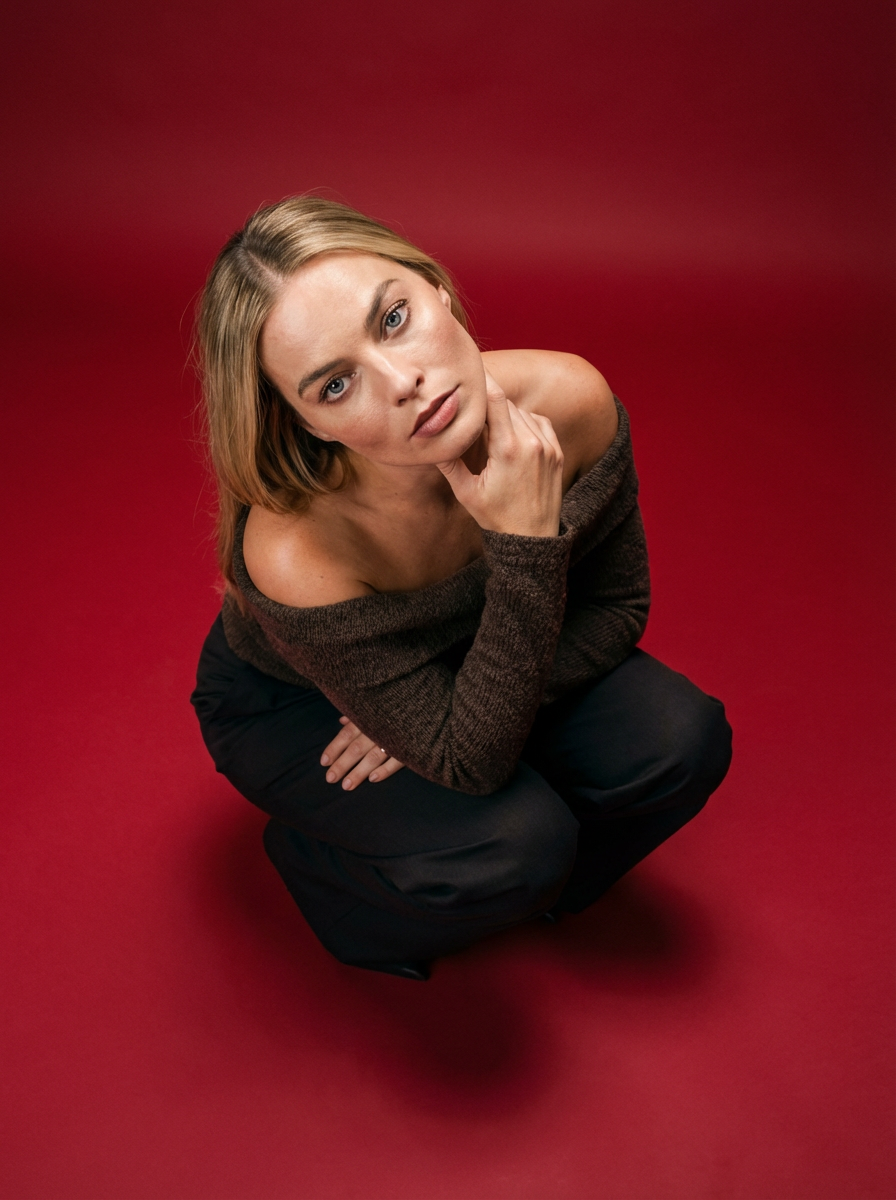
Frame your subject in a grounded, high-angle editorial style. This setup forces a compact, kneeling pose that brings out a raw and hyperrealistic fashion aesthetic, perfect for making any garment or accessory look sharp and intentional.
Regenerate using your own assets.
This template is designed to highlight the interplay of light and shadow on textiles, giving your apparel a premium, tangible quality.
Step 4: Apply graphics that conform to the clothing
The “pasted-on logo” effect is a dead giveaway of an artificial mockup. MyUP solves this by integrating your Brandkit logo directly into the fabric simulation. Instead of simply overlaying it, MyUP’s production process projects your logo onto the garment, allowing it to naturally conform to the fabric’s contours, folds, and shadows. The logo will appear to be printed or embroidered onto the material, just as it would in a real photograph.
This means your branding will realistically stretch, wrinkle, and receive shadows in harmony with the garment’s drape, creating an authentic, high-quality visual. For an action-oriented presentation where branding is key, a template focusing on sportswear can be highly effective:
Template: #myup-ywpr-rqz6
Professional Sportswear Ad

Suspends your apparel right in the center of a high-energy promo shot, held up by hands around the frame. It gives your shirts or jerseys a gritty, collaborative streetwear editorial look that feels alive and physical.
Regenerate using your own assets.
This template ensures your branding is front and center, integrated seamlessly into the dynamic visual.
From finished mockup to a live ad campaign
The beauty of creating these high-quality, photorealistic mockups with MyUP is that they are not just static images; they are finished creations ready for immediate use across your marketing channels. A perfectly rendered clothing mockup becomes the ideal starting point for a range of marketing assets. You can instantly adapt it for social media posts, e-commerce product pages, email campaigns, or even print materials.
MyUP allows you to take your finished mockup and expand on it, creating entire campaigns with visual consistency. For instance, you can use these mockups to generate compelling ad creatives that drive conversions. To learn more about turning these visuals into powerful ads, explore our guide on generating realistic UGC-style product ads with AI prompts.
Make your fashion vision a reality with MyUP
The days of struggling with artificial-looking AI clothing mockups are over. MyUP provides the Creative Production Platform that understands the intricate details of fashion visualization, from the subtle nuances of fabric drape to the precise integration of your brand’s logo. You bring the intention — your product, your vision — and MyUP handles the complex technical production, delivering a finished, studio-quality creation that’s indistinguishable from real photography.
Stop settling for visuals that undermine your brand. With MyUP, you gain the power to produce an endless array of photorealistic apparel mockups that truly represent your products, maintain visual consistency, and are ready to captivate your audience. Make your unimaginable possible, and elevate your fashion brand’s visual presence today.
