
You've experienced the frustration: you generate a perfect AI character, but the moment you try to place them in a new scene, they become an unrecognizable stranger. This breaks the narrative and makes creating compelling visual stories, comics, or ad campaigns nearly impossible. This guide provides a professional production method to finally solve AI character consistency, moving beyond unreliable hacks to deliver perfectly stable characters, scene after scene.
Why your AI characters change from scene to scene
You’ve finally done it. After an hour of tweaking prompts, you have the perfect AI-generated character. The lighting is just right, the expression is perfect, and you’re ready to build a story around them. You write a new prompt to place them in a different scene, and... they’re gone. Replaced by a vaguely similar, but distinctly different, stranger. The hair is a shade off, the eyes are a different shape, and the unique feel of your character has vanished.
This is the single biggest barrier to using AI for visual storytelling. An inconsistent character breaks the narrative illusion, making ad campaigns, social media carousels, and webcomics look unprofessional and disjointed. Relying on prompt hacks and locking random seeds is a fragile process that fails more often than it works.
This guide offers a different path. It's not about tricks; it's a practical production method for achieving flawless character consistency. We'll show you how to move from generating single, random images to producing finished, multi-scene visual stories where your character remains perfectly recognizable, every single time.
The problem with unreliable prompt hacks
Most generative AI tools are designed to maximize creativity for single images, not to maintain continuity across them. Think of them as artists with short-term memory. Each time you submit a prompt, they interpret your words fresh, without a reliable memory of what they created moments before. Even a minor change in your prompt—like changing a character's action from “sitting at a desk” to “standing by a window”—can lead the model to generate a completely different face and body.
This isn't a bug; it's a fundamental aspect of how these models operate. They prioritize the prompt's instructions for each new image over consistency with previous ones. For creators trying to tell a story or build a brand campaign, this is a critical failure. A story requires a believable protagonist, not a series of near-identical strangers. To overcome this, you need a process that doesn't depend on the model’s memory but instead enforces identity as a rule.
Step 1: Create your definitive character reference image
Every consistent character begins with a single source of truth: a definitive reference image. This is your “master portrait,” the visual anchor that will define your character's identity across all future scenes. A strong reference image is not just any picture; it needs to be a high-quality, well-lit portrait that clearly captures the character's essential features.
A good reference should have:
- Clear Facial Features: The face should be in focus, with no shadows obscuring the eyes, nose, or mouth.
- Neutral Lighting: Avoid dramatic, colored lighting that could confuse the AI. Soft, even studio lighting is ideal.
- Frontal or Three-Quarter View: A direct headshot or a slight turn works best for capturing the full facial structure.
Instead of wrestling with prompts to get this perfect shot, you can use a dedicated tool on MyUP designed for this exact intention. The goal is to produce a high-fidelity image that becomes the DNA of your character. For this, a specialized creative template is the most reliable tool.
Template: #myup-3ccc-wvsp
Photorealistic AI Face Swap Portrait
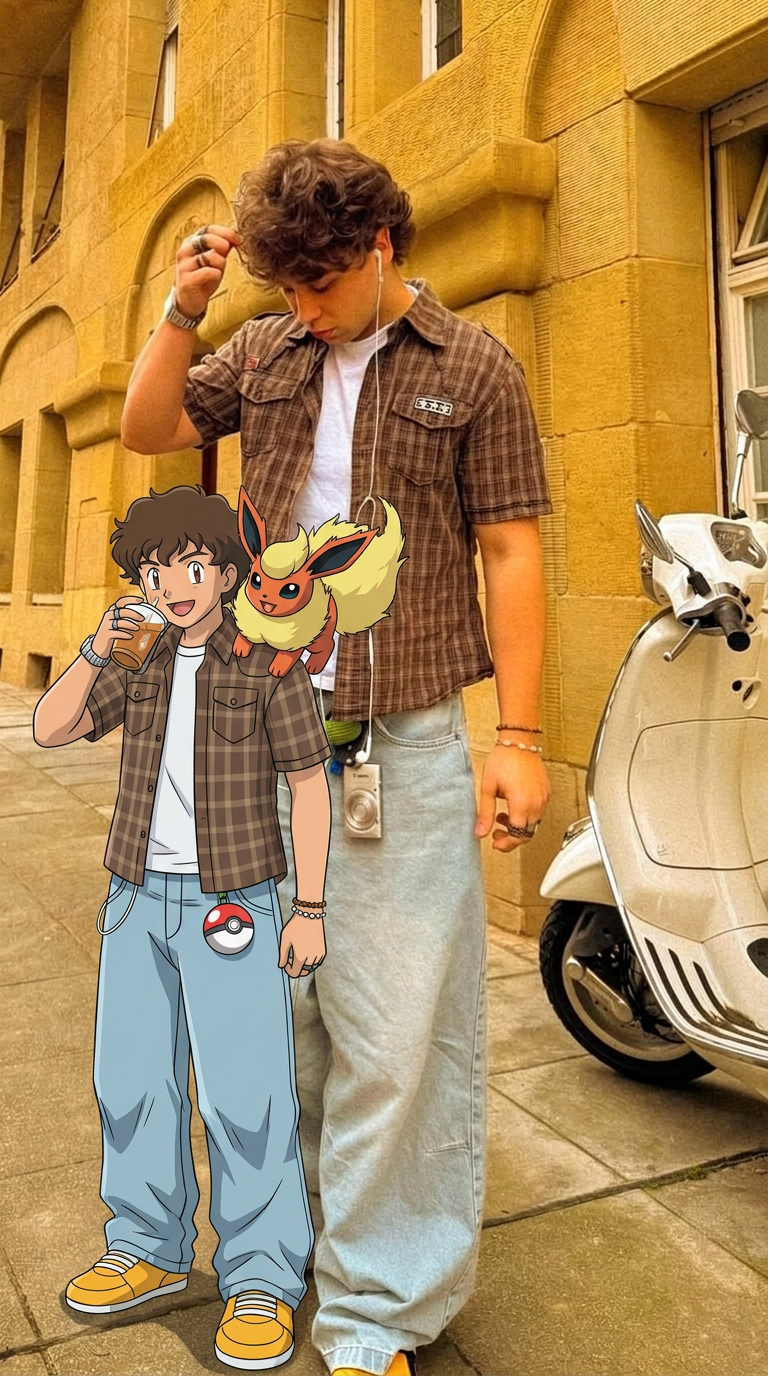
Capture every nuance of your subject with absolute precision. This system maps distinct features, textures, and physical traits onto your chosen composition, ensuring the final output mirrors your source with total fidelity. It's the cleanest way to replicate a specific look while maintaining complete control over the final framing.
Regenerate using your own assets.
Step 2: The production method for locking a character's face
With your reference image secured, you can now place your character into any scene you imagine. This is where we move beyond prompting and into a deterministic production step. The method is simple: you provide the reference face and a target image, and MyUP handles the complex task of mapping the identity.
Your target image can be another AI generation where you focused only on the pose, background, and lighting, completely ignoring the face. For example, you could prompt for “a woman in a trench coat looking at a city skyline at night, back mostly to camera.” The face in the resulting image doesn't matter, because you're about to replace it.
MyUP’s Consistent Character Face Swap Tool is built for this exact purpose. It intelligently analyzes the facial structure, features, and skin tone from your reference image and applies them to the new pose. It’s not a cheap filter; it’s a production tool that preserves identity with remarkable accuracy.
Template: #myup-i83a-ze2t
Consistent Character Face Swap Tool

Lock in a subject's exact likeness and physical traits across any new scene. It maps every facial feature and body detail perfectly, keeping the person consistent no matter where you place them. Just drop in your photo and let the system handle the rest.
Regenerate using your own assets.
Step 3: Maintaining full-body and outfit consistency
Sometimes, the face isn't enough. For a fashion lookbook, a comic book hero's uniform, or a branded mascot, the character's outfit and even their body type must remain identical across every image. This requires a more comprehensive approach that goes beyond just the face to include the entire figure and their clothing.
This is crucial when the story demands that a specific piece of apparel or a physical trait is central to the narrative. For example, if your character is a knight, their armor must look the same in every panel. If you're creating a product catalog for a clothing brand, the garment must be consistent on the model from shot to shot.
When your creative intention is total consistency, from head to toe, you use a more advanced template designed to replace both the face and body. This ensures every detail, from the texture of a jacket to the fit of a pair of jeans, is perfectly maintained.
Template: #myup-2gbp-wc6s
Consistent Character Face And Body Replacer
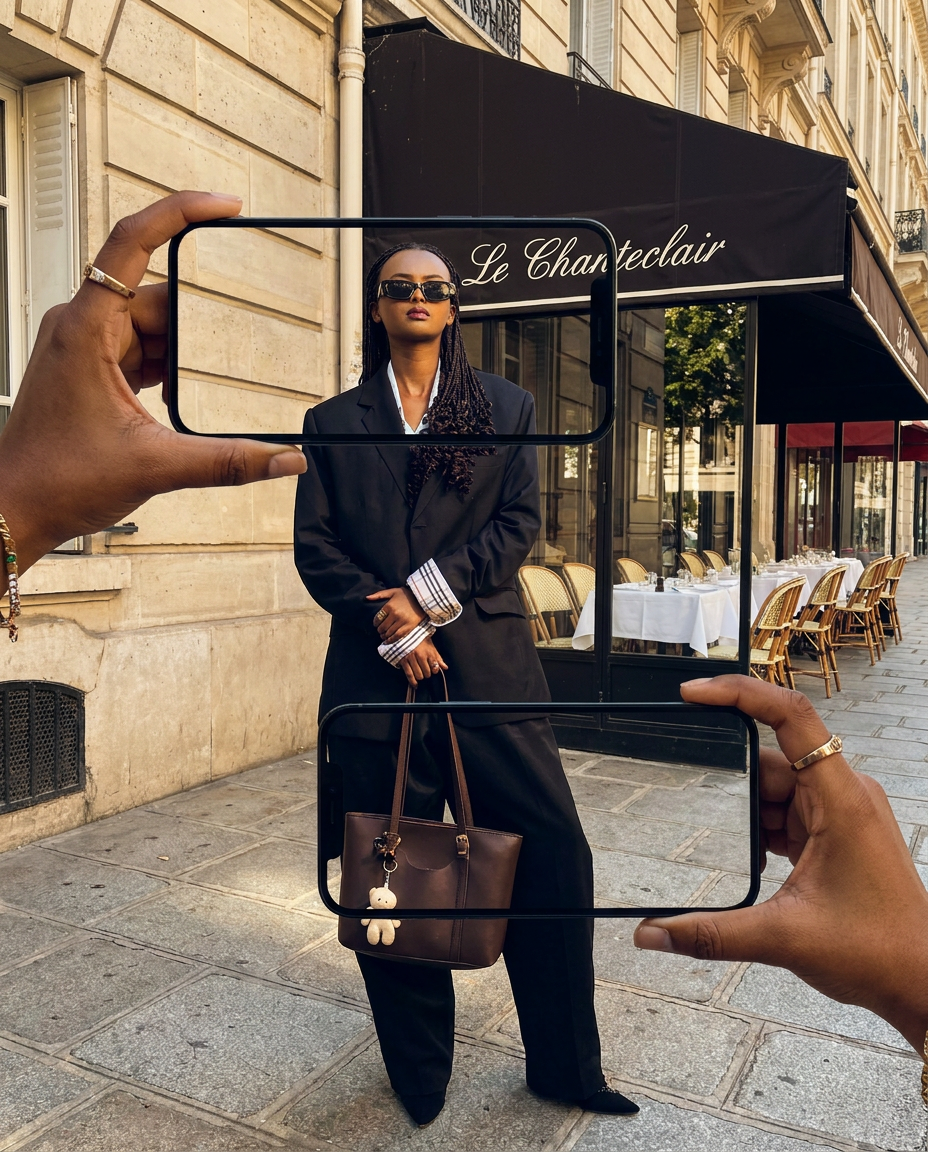
Capture the exact likeness of any person with incredible precision. This system maps every unique facial feature, skin tone, and hair texture onto your chosen subject, ensuring their physical appearance remains completely consistent across any pose or setting you decide to put them in.
Regenerate using your own assets.
Putting it all together: Building a 3-panel visual story
Theory is one thing, but a finished creation is the real proof. Let's walk through building a simple three-panel visual story for a social media carousel, promoting a new brand of coffee.
The Intention: Show a character's journey from tired to energized after trying our coffee.
- Create the Scenes: First, generate three base images in MyUP, focusing only on the pose and environment. You can ignore the character's face for now.
- Scene 1 Prompt:“A woman at her office desk, head in her hands, looking exhausted under fluorescent lights.”
- Scene 2 Prompt:“The same woman holding a bright orange coffee cup, looking at it with curiosity.”
- Scene 3 Prompt:“The same woman smiling confidently at the camera, looking energized, with the coffee cup on her desk.”
- Establish the Character: Create your definitive character reference image using the method from Step 1. This gives you one high-quality portrait to use as your source of truth.
- Apply Consistency: Now, use the Consistent Character Face Swap Tool for each of the three scenes. You upload your single character reference and apply it to the tired, curious, and energized poses.
The result is a finished, three-panel story where the character is unmistakably the same person in every frame. The narrative is clear and believable. You didn't just generate three random images; you produced a coherent visual asset, ready to publish.
MyUP Template : #myup-i83a-ze2t
Beyond characters: Ensuring brand consistency in your stories
A consistent character is the star of your story, but the stage they perform on needs to be on-brand. A perfectly consistent character appearing in scenes with clashing colors or generic typography can still undermine your marketing efforts. The final step is to ensure the entire visual world aligns with your brand's identity.
This is where MyUP’s Brandkit transforms your creative process. Before you even generate your first scene, you can set up your brand’s core visual elements—your logo, specific color palette, and approved fonts—by simply entering your website URL. MyUP automatically builds a reusable Brandkit from it.
Once your Brandkit is active, MyUP can apply it to your creations. The backgrounds in your visual story can draw from your brand colors. Any text overlays will use your brand fonts. This ensures that every element of your finished creation, from the character at its center to the colors framing them, is perfectly and effortlessly on-brand.
From random generations to intentional stories
Creating compelling visual narratives with AI is no longer a game of chance. By shifting from simple prompting to an intention-driven production process, you gain the control necessary to tell coherent stories. The method is clear: establish a definitive reference image, use dedicated tools to apply that identity across scenes, and wrap the entire creation in your unique brand identity.
MyUP is the Creative Production Platform that makes this possible, providing the tools to turn your narrative ideas into finished creations ready to publish. You bring the intention; MyUP handles the production.
Ready to tell your story with characters that last? Create an account on MyUP.ai and bring your vision to life.
