You finally got the perfect static image. You feed it to an AI animator, excited for a cool branded GIF. The result? A wobbly, melting logo that looks like it's having a bad trip. This 'wobbly logo' problem is the most common failure in AI-generated content, and it makes your brand look amateurish.
Competitors are noticing. This week, tools like Runway and Higgsfield released features like 'Static Regions' to try and fix it. But these are just more technical steps in an already broken process. The real solution isn't another tool—it's a one-step method that delivers a finished, professional, on-brand GIF with a perfectly stable logo every time. This guide shows you how.
The 'wobbly logo' problem: why your AI GIFs look unprofessional
You found the perfect static image for your brand. You feed it to an AI animator, expecting a dynamic, shareable GIF for social media. Instead, you get a production nightmare: the background animates beautifully, but your logo warps and melts as if it’s having a bad trip. You’ve just met the 'wobbly logo' problem.
If this feels familiar, you’re not alone. Marketers and creators are all over Reddit this week complaining about this exact issue, which instantly makes a brand look amateurish. The problem is so widespread that leading AI video tools are scrambling to react. Just this week, on November 16th, Runway announced 'Static Regions' and Higgsfield demoed 'Motion Painting' on November 17th. These features are attempts to let users manually mask or 'lock' parts of an image.
But these are technical patches, not a real solution. They add another complex step, forcing you to become a video editor instead of a marketer. The real fix isn't another tool in the chain; it's a completely different production process.
The old method: a frustrating chain of tools
Until now, creating a simple branded GIF has been a frustrating exercise in 'tool-chaining'. The process usually looks something like this: design an image in Photoshop or Canva, move it to an AI animation tool to generate a video, fight with the settings to stabilize your logo, export it, then upload it to a third tool to convert it to a GIF and add text. This multi-step mess is not just inefficient; it’s a creative bottleneck that kills momentum.
The new features from competitors, while clever, don't solve this core issue. 'Static Regions' or 'Motion Painting' still require you to manually define what should and shouldn't move. It's a point solution that adds another layer of technical work, leaving you to manage the rest of the production. As many marketers have discovered, this often feels like the Opus.pro to Canva to GIF maker mess all over again—a series of disconnected tasks instead of a single, fluid creation.
The one-step method for perfect, on-brand GIFs
Instead of adding more steps and tools, the modern method focuses on a single creative intention. MyUP, The Creative Production Platform, replaces the entire toolchain by handling the A-to-Z production for you. You state what you want, and MyUP delivers the finished, publish-ready asset.
1. Prepare Your Asset (or Create One Instantly)
Start with a high-quality static image. If you don't have one, you can create a professional, studio-quality visual directly within MyUP using a creative template. For example, you can generate a clean product shot ready for animation. Template: #myup-fy77-jljs.
Minimalist Elegant Product Advertising Poster
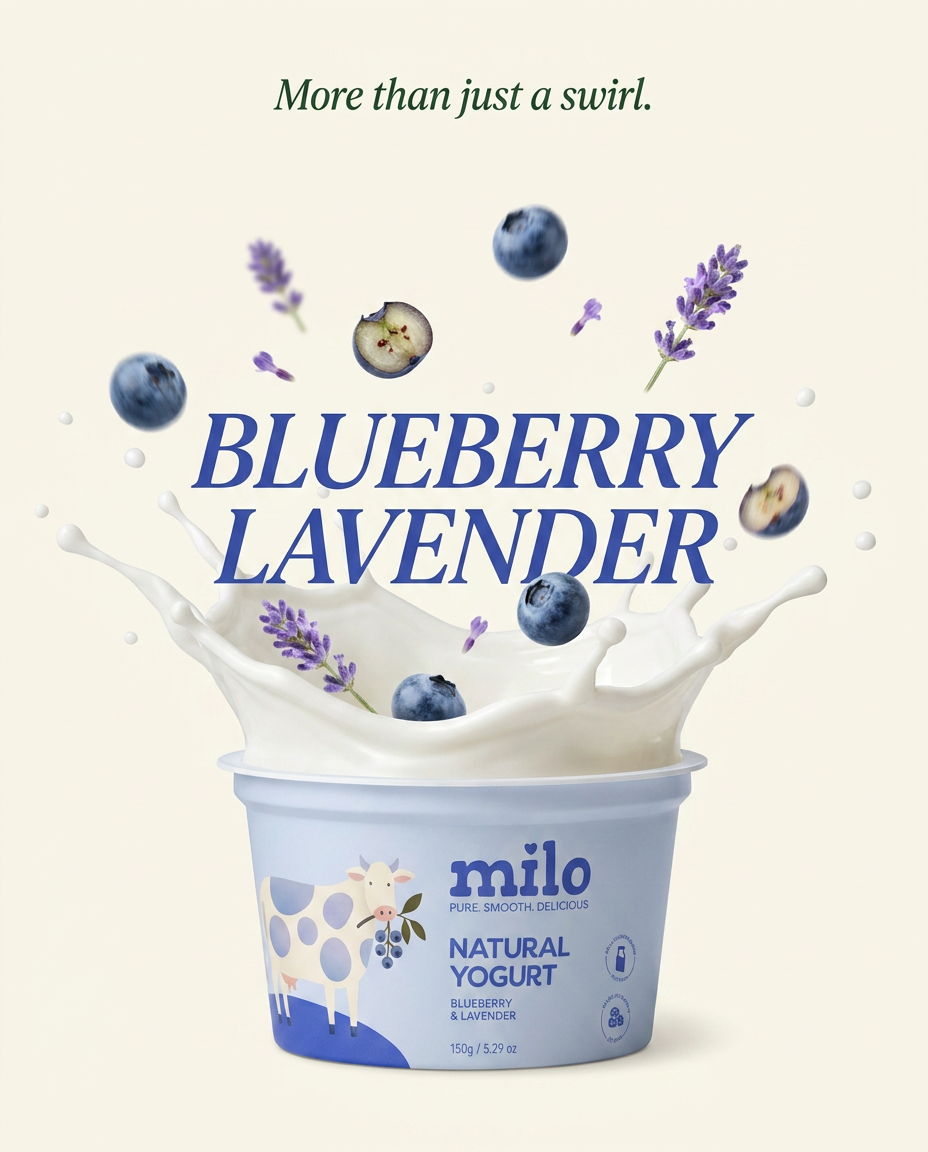
Turn any product shot into a high-end editorial ad. It places your item against a soft cream background with airy spacing and adds elegant, small serif typography at the top. Great for wellness or luxury brands wanting a calm, minimal aesthetic.
Regenerate using your own assets.
2. Define Your Brand (Once)
This is where the magic happens. In your MyUP Workspace, you upload your logo, brand colors, and fonts one time. MyUP then uses this as your brand's single source of truth, automatically ensuring every creation is consistent. There’s no need to re-upload or adjust assets for every project. This is the foundation for achieving true AI brand consistency across a full campaign.
3. State Your Intention
Forget complex prompts or technical settings. You simply describe the final result you want. This is a production instruction, not just a prompt. For example:
"Animate this product image with a subtle shimmer effect, but keep the logo in the bottom right corner perfectly static. Output as a looping GIF for social media."
MyUP understands that 'keep the logo static' is a critical production rule, just as important as the animation itself. This same principle applies to text, which is why this method also helps fix the common problem of unreadable text on AI thumbnails.
4. Get Your Finished GIF
MyUP handles the technical production—the masking, layering, animation, and rendering—and delivers a finished GIF that is perfectly on-brand and ready to publish. No wobbly logo. No extra tools. Just the finished result.
Animating different assets: from products to people
This one-step production process isn't just for simple product shots on a white background. It's versatile enough to handle any type of branded content, from lifestyle imagery to character portraits. The core principle remains the same: define your brand in your Workspace, upload your image, and state your creative intention.
Imagine you want to animate a lifestyle food shot for a social media ad. You can start with a powerful image of someone enjoying your product and ask MyUP to add a subtle steam effect or a cinematic zoom while keeping the packaging's branding perfectly clear. You can easily create dynamic AI product GIFs from static images that stop the scroll.
- For a food brand: Use a template to create a high-impact lifestyle shot, then animate it. Template: #myup-xjsb-hirr.
- For a personal brand or character: Animate a branded portrait, adding motion to the background while the subject remains sharp and consistent. Template: #myup-tw5f-crp8.
In both cases, you maintain creative vision and validation; MyUP handles the technical execution to deliver a professional, finished creation.
From single GIF to branded sticker pack
Why stop at a single GIF? The same intention-driven method allows you to scale your creative production from one asset to an entire campaign, like a branded sticker pack for GIPHY and Instagram Stories. Social media managers know the value of having a library of shareable, on-brand assets ready to go.
Instead of creating each sticker one by one in a chain of tools, you can state a single, campaign-level intention in MyUP:
"Create a sticker pack from our brand logo. Generate 5 animated variations with transparent backgrounds: a pulse, a shimmer, a glitch effect, a fun wiggle, and a pop-up animation. Ensure all use our brand's primary color palette."
MyUP understands this as a single project and delivers a cohesive set of finished, ready-to-upload assets. This is how you move from being a single-asset generator to a campaign producer. You can even use a campaign-level template as your starting point. Template: #myup-vccl-cyv5.
Luxury Skincare Product Ad Campaign
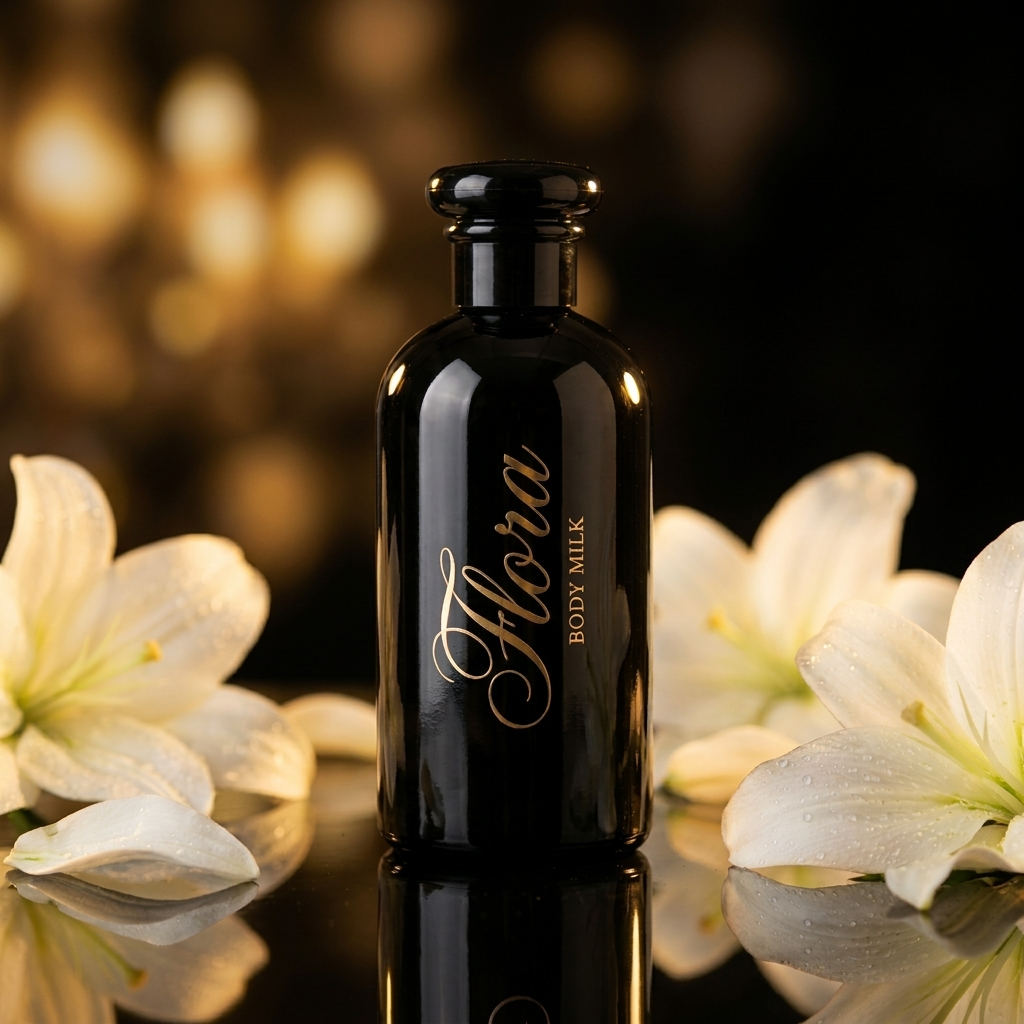
Create a polished luxury advertising set from a single beauty product image. This reusable 4-step workflow generates a clean studio hero shot, an elegant lifestyle scene, a macro product detail and a vertical social media composition while preserving the visual identity of the uploaded product. Designed for skincare, cosmetics and premium beauty products.
Regenerate using your own assets.
Stop being a technician, start being a creator
The 'wobbly logo' isn't just a technical glitch; it's a symptom of using tools instead of a production platform. Your job is to have a creative vision for your brand, not to become an expert in masking, layering, and chaining together five different applications.
MyUP is built on a simple premise: you describe the finished creation you want, and the platform handles the technical production from A to Z. Whether it's a single GIF or a full sticker pack, you maintain creative control while MyUP delivers professional, on-brand results ready to publish. It's time to make your unimaginable possible.