
If you've been on any social platform this month, you've seen it: the viral 'product expansion' trend. Someone takes a clean product shot, and using AI tools like Midjourney, places it into a dozen different lifestyle scenes. It’s a compelling glimpse into the future of e-commerce creative. But for professionals, it’s a chaotic, manual process that often results in off-brand colors, inconsistent lighting, and hours spent in Photoshop fixing the final composite.
There is a better way. Forget one-off image generation. It's time to think in campaigns. This is the complete, brand-centric workflow for turning one product photo into an entire suite of marketing assets, all within a single, controlled system: MyUP.ai.
Step 1: The foundation is a perfect product photo and your Brandkit
This entire workflow hinges on two essential inputs. The first is technical; the second is strategic.
First, you need a high-quality product photo with a transparent background, saved as a PNG file. This isn't a snapshot from your phone. It should be a well-lit, high-resolution image from your e-commerce catalog—the kind you'd use on a product detail page. This clean, isolated image is your master asset.
Second, you need to establish brand consistency from the start. This is where the ad-hoc trend becomes a professional system. On MyUP, you create a Brandkit once by simply entering your website URL. MyUP automatically analyzes your site and pulls your logo, primary and secondary color palettes, and typography. This isn't just a style guide; it's an active component that will automatically govern the aesthetic of every background scene and ad variation you generate. It's the difference between random outputs and a cohesive, on-brand campaign.
Step 2: Generate an entire library of on-brand scenes
With your product PNG ready and your Brandkit saved, you can stop thinking about generating single backgrounds. Instead, your goal is to build a proprietary, on-brand stock photo library tailored to your product's lifestyle context. In MyUP, you can generate dozens of scenes with simple text prompts.
Think about where your customer uses your product. For a skincare brand, you might prompt:
- "A minimalist white marble bathroom vanity with soft morning light."
- "The edge of a spa-like bathtub with neatly folded white towels."
- "A woman's open travel bag on a hotel bed, with toiletries inside."
Because your Brandkit is active, MyUP ensures the mood, lighting, and subtle color tones of these generated scenes align with your visual identity. You’re not just getting a background; you’re getting a world that looks and feels like your brand. The user—you—provides the creative direction, and MyUP handles the production, ensuring every option is brand-safe. For a versatile starting point that works for almost any product, a clean studio shot is invaluable.
Workflow code: #myup-u4lt-o0ho
Studio Product Ad

Drop in a single product photo to instantly build a cohesive visual identity. It automatically samples your item's dominant colors to generate a beautifully matched mosaic moodboard, giving your brand an instant, polished aesthetic.
Regenerate using your own assets.
Step 3: Create and composite your ad variations
You now have your two core components: the isolated product and a library of on-brand scenes. The next step is compositing them into finished ads. Manually, this means downloading everything, opening a design tool, and carefully placing, resizing, and color-correcting each combination. This is where content production bottlenecks happen.
MyUP automates this entire step. By selecting one of MyUP's product advertising templates, you can upload your product PNG and choose one of your newly generated scenes. The platform handles the compositing, creating a finished asset in seconds. The user validates the result, but the tedious production work is handled by the system. You can repeat this process with all your scenes to create a dozen different ads in minutes, not hours.
To create a polished, high-end visual for Instagram, a web banner, or a digital ad, the right template makes all the difference. This one is perfect for a clean, elegant look.
Workflow code: #myup-fy77-jljs
Minimalist Elegant Product Advertising Poster

Turn any product shot into a high-end editorial ad. It places your item against a soft cream background with airy spacing and adds elegant, small serif typography at the top. Great for wellness or luxury brands wanting a calm, minimal aesthetic.
Regenerate using your own assets.
Step 4: Scale from single assets to thematic campaign sets
The real power of this workflow isn't just creating ten images; it's about creating three or four distinct, thematic campaign sets from that single product photo. This allows you to speak to different customer segments or run targeted ads for specific holidays or seasons without needing a new photoshoot.
Start thinking in sets:
- The 'Work From Home' Set: Scenes featuring a clean desk, a cup of coffee, a notebook, and soft window light.
- The 'Outdoor Adventure' Set: Backgrounds with rustic wood, a packed backpack, a mountain view, or a forest floor.
- The 'Luxury Evening' Set: Scenes with dark marble, silk fabric, moody lighting, and elegant props.
By generating 3-4 scenes for each theme, you can quickly build a multi-faceted campaign. MyUP offers specialized templates that are already optimized for specific product types, giving you an even faster path to a high-quality result. For a delicate item like a necklace or ring, the context is everything.
Workflow code: #myup-qtty-nngw
Jewerly Product Ad
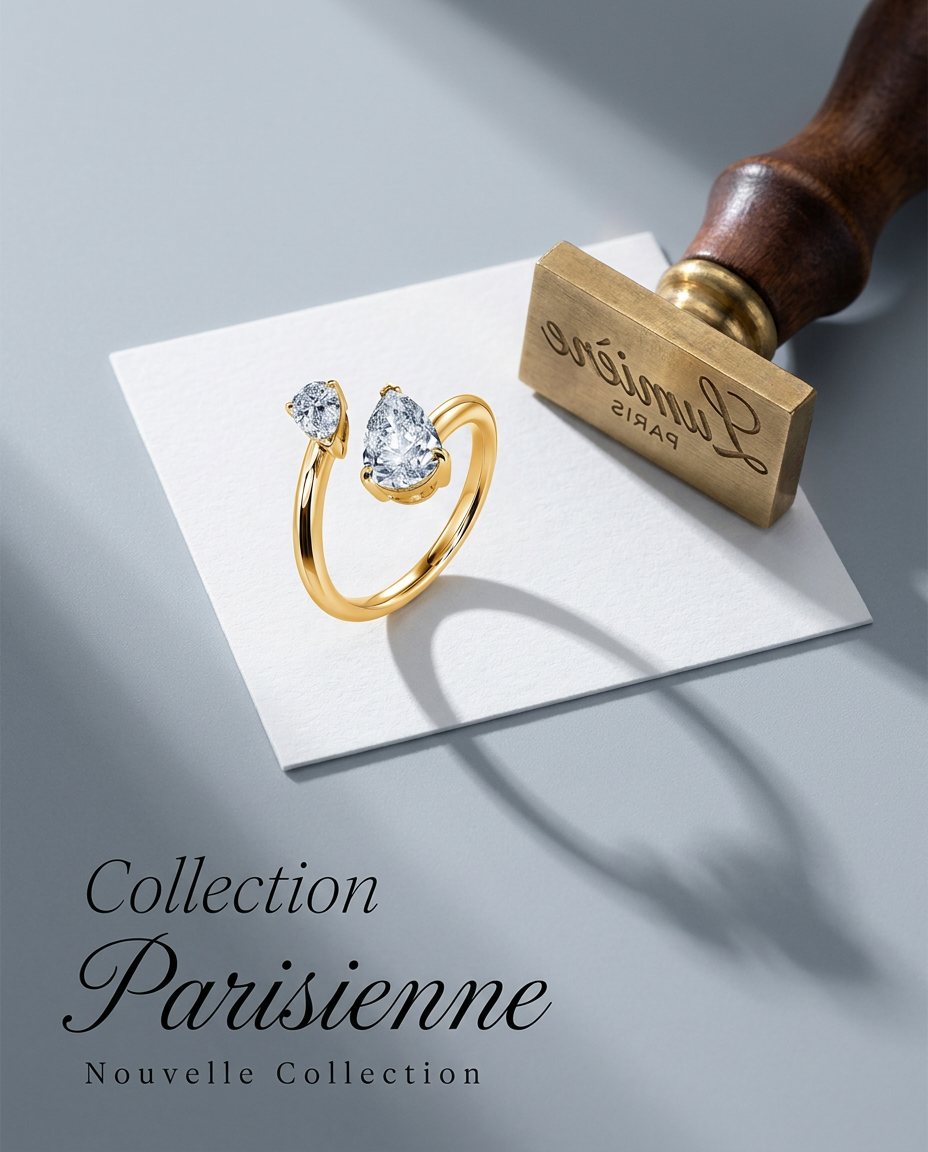
Turn any product into a high-end editorial shot. It drops your item into a clean, flat-lay setup with soft directional light and elegant long shadows against a cool matte gray background.
Regenerate using your own assets.
Similarly, getting the right reflections, condensation, and lighting for a beverage ad can be difficult. Using a specialized workflow ensures the final composite looks realistic and appealing.
Workflow code: #myup-cqnu-i50m
Drink Product Ad
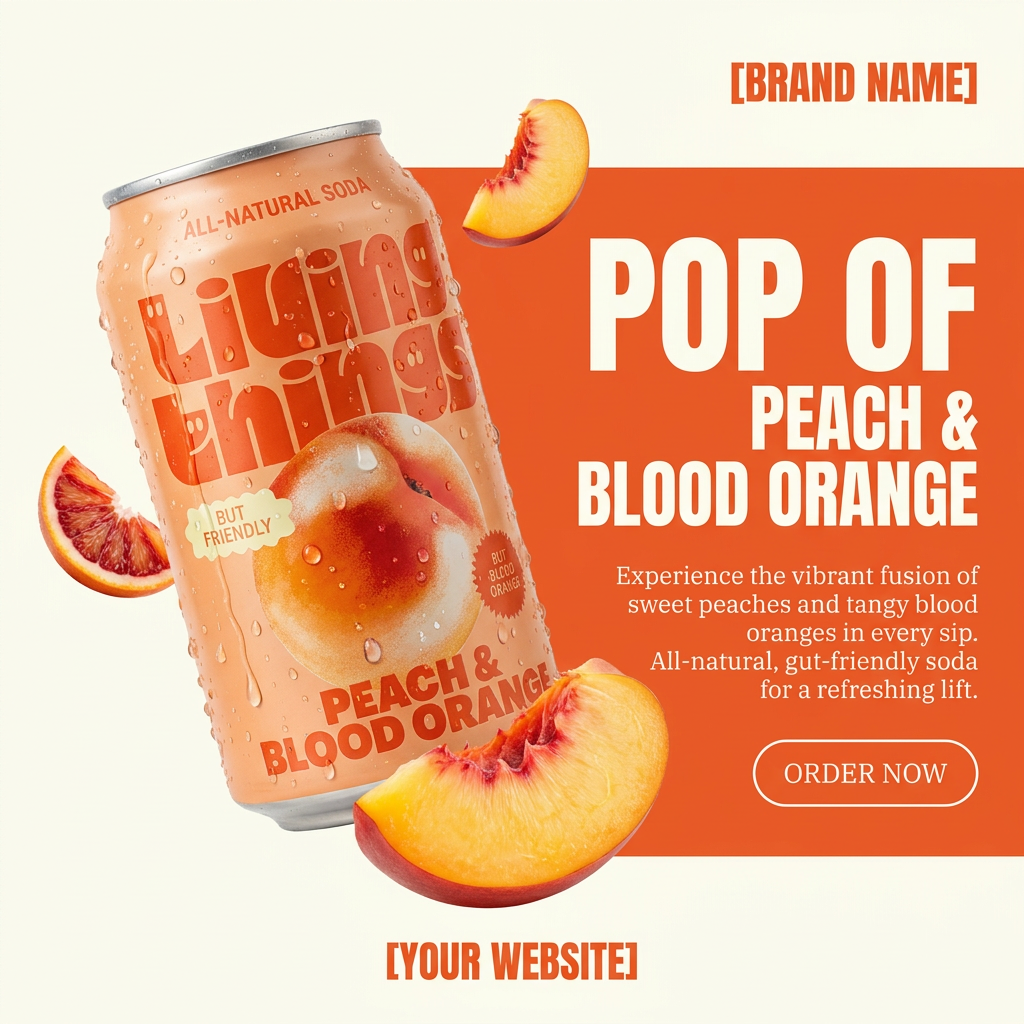
Turn any product photo into a bold, modern ad poster. It automatically frames your item against a split-color background, pairing a clean cream tone with a solid block of your product's dominant color. Super clean, minimal, and ready for social feeds.
Regenerate using your own assets.
One photo is now your entire content engine
The old creative process was linear and expensive: one photoshoot resulted in a limited set of assets that quickly went stale. The viral 'product expansion' trend showed a new possibility but lacked the control and brand consistency required for professional marketing.
The MyUP workflow represents the next evolution: a scalable, brand-centric system. With one clean product photo and a saved Brandkit, you have a repeatable engine for generating endless on-brand lifestyle campaigns. You no longer need to choose between quality, quantity, and brand consistency. Now, you can have all three, on-demand.
