
The architect's dilemma: when AI 'creativity' breaks your design
You've spent weeks perfecting the massing, fenestration, and materiality of a building in your 3D modeling software. The client presentation is next week. To get that last 10% of photorealism, you export a basic render and upload it to an AI upscaler like Magnific.ai, hoping for magic. The result that comes back is stunningly detailed, beautifully lit—and structurally wrong. The clean lines of your curtain wall have warped, the specified concrete has a bizarre, painterly texture, and new, un-designed architectural elements have appeared from nowhere. Your design has been creatively sabotaged by the very tool meant to enhance it.
This scenario, a hot topic on professional forums like r/archviz in September 2026, highlights a critical dilemma for architects and visualization artists: how do you leverage AI's power for photorealism without sacrificing design control?
Why 'generative upscaling' fails for precision work
The problem isn't the tool itself; it's the approach. Generative upscalers like Magnific.ai or Krea AI's enhancer operate by 'hallucinating' details. They analyze a low-resolution image and creatively add texture, detail, and complexity based on vast datasets of general imagery. For a fantasy landscape or abstract art, this is a feature. For an architectural project where every line and material choice is deliberate, it's a critical failure.
These tools are fundamentally at odds with the precision required for client work. They don't understand structural integrity, building codes, or the specific properties of brushed aluminum versus polished chrome. Their goal is to produce a plausible, high-detail image, not an accurate representation of a specific design. When you hand your precise blueprint to a generative upscaler, you're rolling the dice, hoping its artistic interpretation aligns with your technical intent. For professionals, that's a gamble you can't afford to take.
The expert's detour: the high cost of control with ComfyUI
So, what's the alternative for professionals who need control? Until recently, the answer was to dive into the deep end with complex, open-source systems. Tools like ComfyUI, paired with a series of ControlNet models (like Canny for edges and Depth for spatial information), offer incredible power. By creating intricate node-based graphs, a technical artist can force an AI model to adhere strictly to the geometry of a base render while creatively filling in the textures and lighting.
However, this level of control comes at a steep price. It requires a significant time investment to learn, a powerful local GPU to run, and constant troubleshooting of complex graphs. For most architects and designers, whose primary job is design, not AI engineering, this production process is powerful but impractical. You need a solution that provides the control of an expert system with the ease of a modern creative tool.
A better method: from intention to finished render with MyUP
A more effective method is to shift your thinking entirely. Instead of trying to fix or enhance a basic render, you describe the finished, photorealistic creation you want from the very beginning. This is the intention-driven approach at the core of MyUP, the Creative Production Platform.
With MyUP, you don't feed the system a low-quality image and hope for the best. You state your final vision directly. You maintain creative control by specifying the core components of the scene:
- Architecture Style: 'Minimalist concrete villa', 'Deconstructivist museum'.
- Environment: 'On a rugged cliffside overlooking the ocean', 'in a dense urban setting'.
- Lighting & Atmosphere: 'Dramatic golden hour light', 'soft, foggy morning atmosphere', 'dappled light through a forest canopy'.
- Materiality: 'Facade of board-formed concrete and blackened steel', 'interiors with Danish oak flooring'.
MyUP handles the complex technical production to deliver a finished, high-fidelity image that is true to your intention. This allows you to control not just the design but also the precise photographic style. For instance, you can dictate specific camera angles and moods, much like a photographer using a creative preset to get a distinct look. Applying a ready-to-use creative template like the Hyperrealistic High Angle Fashion Editorial (Template: #myup-lkxt-mwbw) can help you achieve a specific, grounded camera perspective for your architectural scenes.
Hyperrealistic High Angle Fashion Editorial
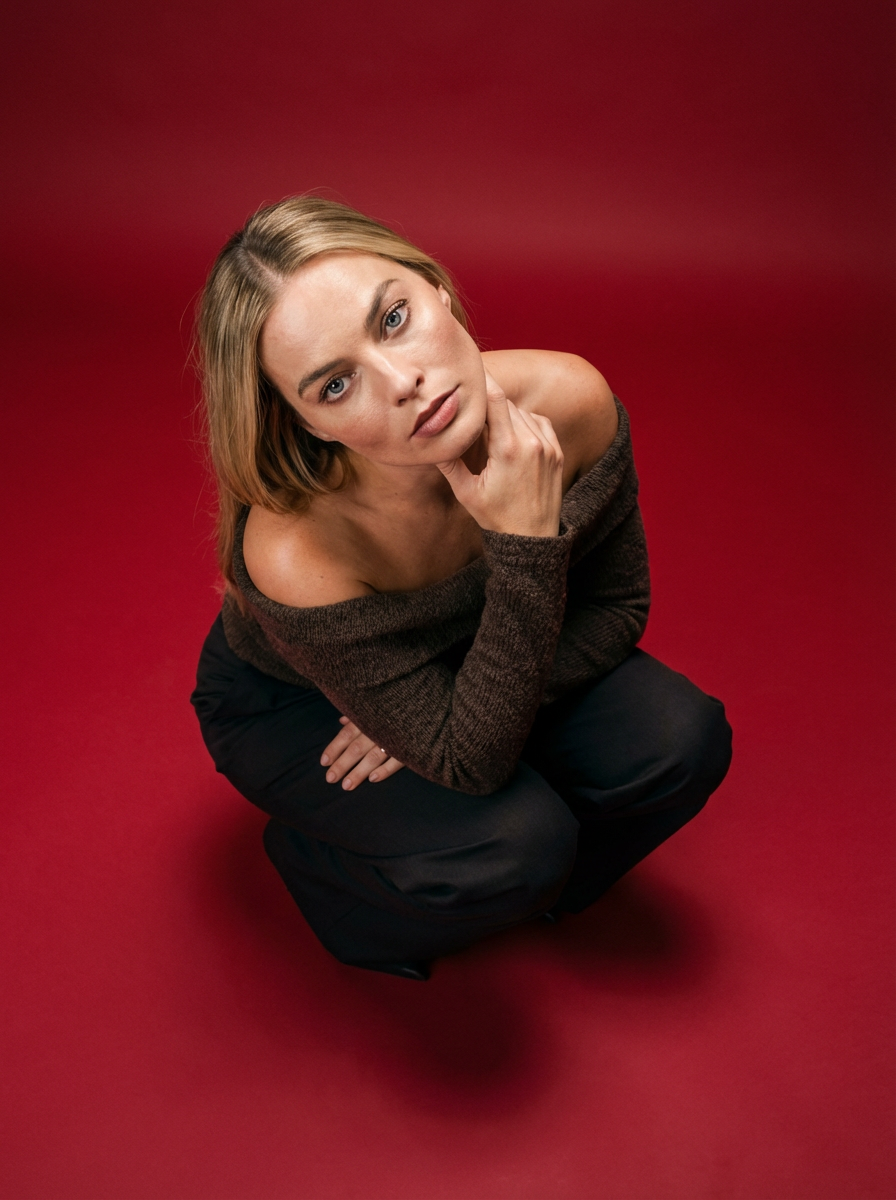
Frame your subject in a grounded, high-angle editorial style. This setup forces a compact, kneeling pose that brings out a raw and hyperrealistic fashion aesthetic, perfect for making any garment or accessory look sharp and intentional.
Regenerate using your own assets.
Practical guide: creating a photorealistic villa render in 3 steps
Let's walk through a practical example of producing a client-ready visual on MyUP. The goal is a photorealistic render of a modern cabin.
Step 1: State Your Core IntentionYou start not with an image, but with a description of the final creation. This acts as your creative brief for the platform.Example Intention: "Photorealistic architectural render of a modern A-frame cabin in a snowy pine forest at dusk."
Step 2: Refine with Specific DetailsNow, you layer in the specific details that ensure the result matches your vision. This is where you exert control over materiality and mood, avoiding the randomness of upscalers.Refined Intention: "Photorealistic architectural render of a modern A-frame cabin with a black timber facade and a warm, glowing interior light. The cabin is set in a snowy pine forest at dusk, with soft light falling on the snow. Shot with a 35mm lens for a natural perspective."
Step 3: Generate and Finalize Your CreationMyUP processes your full intention and produces a finished, high-resolution image that respects every specified detail. The result isn't an 'enhancement'; it's the direct realization of your vision. Once your primary render is complete, you can instantly repurpose it for marketing. For example, you could feature the project on a mock publication cover to impress clients using a template like the High-End Editorial Fashion Magazine Cover (Template: #myup-yk1h-uqy8).
High-End Editorial Fashion Magazine Cover

Drop in any portrait and turn it into a high-end editorial magazine cover. It frames your subject beautifully with relaxed, high-fashion posing and soft styling for a polished print aesthetic.
Regenerate using your own assets.
Beyond static images: creating cinematic fly-throughs of your design
The power of intention-driven production extends beyond static images. One of the biggest challenges with AI video has been maintaining geometric stability; buildings would warp and melt during camera movements. Because MyUP's process is grounded in a consistent understanding of your scene, you can create cinematic animations of your designs that remain structurally sound.
This opens up new possibilities for client presentations and marketing, allowing you to produce animated fly-throughs, mood videos, and dynamic reveals of your projects. You can even leverage production templates built for complex cinematic storytelling, like the Cinematic Trojan Horse Siege Short Film (Template: #myup-e4ti-dcrw), to inspire dramatic camera movements and atmospheric effects for your architectural videos, delivering a level of impact that was previously only possible with expensive animation studios.
Cinematic Trojan Horse Siege Short Film
Build high-tension cinematic sequences that shift from massive exterior monuments to claustrophobic interior details. It tracks subtle movements like shifting shadows and creeping fog to weave a suspenseful narrative, perfect for turning any static subject into a gripping, atmospheric story that unfolds through tight, gritty visual perspectives.
Regenerate using your own assets.
Stop enhancing, start creating with intent
For creative professionals in architecture and design, control is non-negotiable. While generative upscalers like Magnific.ai offer a tantalizing promise of instant photorealism, they introduce an unacceptable level of risk, frequently distorting the very designs they're meant to beautify. The future of professional AI visualization isn't about random enhancement; it's about controlled, intention-driven creative production.
By describing your final vision—from the texture of the concrete to the quality of the light—you can guide the AI to produce a finished creation that is both beautiful and, most importantly, true to your design. Stop gambling with your work. It's time to create with intent. Start producing your client-ready visuals with MyUP today.
