
You have the new logo. The new design. The new brand identity. Now comes the grind: showing it on everything. You open one mockup tool for the t-shirt, another for the coffee mug. You upload your logo, tweak the position, export. Then you do it again for the tote bag. And again for the packaging. And again for the poster. Hours later, you have a handful of images that don't quite match. The lighting is different, the angles are off, and the brand feels disjointed before it's even launched. This isn't a creative process; it's a manual production bottleneck.
A single mockup is a task. A product catalog is a system. It's time to stop thinking about generating images one by one and start building a scalable visual system. This article outlines the workflow to generate an entire, consistent product mockup catalog from a single source of brand truth, in minutes.
Step 1: Set up your Brandkit as the single source of truth
Before you generate a single image, you need to establish a central hub for your brand assets. The old way is a folder on your desktop with 15 variations of your logo. The modern workflow uses a Brandkit as a dynamic, intelligent source of truth. In MyUP, creating a Brandkit is the foundational step that makes the entire catalog workflow possible. You do it once, and you never have to hunt for assets or re-enter hex codes again.
Here's what goes into your MyUP Brandkit:
- Logo Files: Upload your primary logo, secondary marks, and any variations (e.g., SVG, PNG with transparent background).
- Color Palette: Define your primary, secondary, and accent colors. MyUP can even extract these automatically from your website URL.
- Fonts: Upload your brand's typefaces to ensure every piece of text generated is on-brand.
- Style Prompts: Add a few key phrases that describe your visual aesthetic, like "minimalist and clean with natural light" or "bold, high-contrast streetwear photography."
This isn't just storage. The Brandkit actively informs every template and workflow you run. When a template needs your logo, it pulls it from the Brandkit. When it needs a background color, it uses your defined palette. This simple setup is what eliminates 90% of the repetitive work and ensures absolute visual consistency across every mockup you create.
Step 2: Generate your first product type
With your Brandkit established, you can start creating. Let's begin with a common category: apparel. Instead of a generic tool that just pastes your logo like a flat sticker, a workflow-based approach understands context and style. You want to see your design on a shirt that looks real, in a scene that matches your brand's energy.
On MyUP, you don't start with a blank canvas. You use a pre-built workflow designed for a specific outcome. For example, if you're launching a sportswear or streetwear line, you need an image with attitude. You want to see the fabric, the fit, and the feel. A simple template handles this instantly.
This is where the user validates and MyUP executes. You select the template, confirm it's using your Brandkit, and let the AI handle the production. You get back a high-quality, realistic mockup that already feels like a finished ad. To generate your first high-energy apparel mockup right now, use this workflow in MyUP.
Workflow code: #myup-ywpr-rqz6
Professional Sportswear Ad

Suspends your apparel right in the center of a high-energy promo shot, held up by hands around the frame. It gives your shirts or jerseys a gritty, collaborative streetwear editorial look that feels alive and physical.
Regenerate using your own assets.
Step 3: Scale across your entire product line in minutes
Here is where the catalog approach pays off. You've just created a perfect apparel mockup. Now you need to visualize the brand on a beverage can. In a one-off tool, you'd be starting from scratch—new tool, new upload, new settings. With the Brandkit workflow, the hard work is already done. Your brand's DNA is already loaded. All you have to do is run a different workflow.
You simply select a new template, this time for a drink product. MyUP automatically applies your Brandkit—your logo, colors, and style—to the new context. The system is smart enough to adapt. It knows how a logo should wrap around a can versus how it sits on a shirt. The result is a completely different product mockup that is perfectly consistent with the first one.
Use this workflow to instantly see your brand on a beverage can or bottle:
Workflow code: #myup-cqnu-i50m
Drink Product Ad
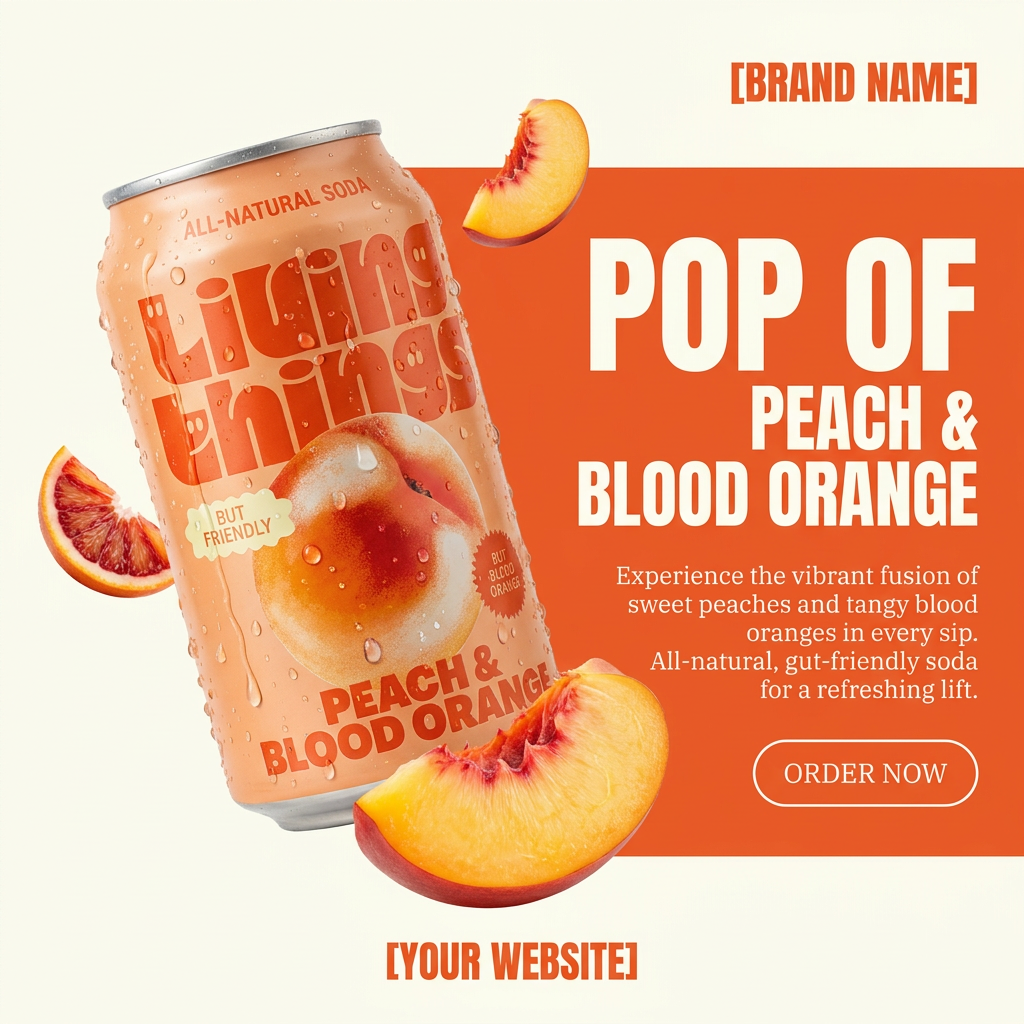
Turn any product photo into a bold, modern ad poster. It automatically frames your item against a split-color background, pairing a clean cream tone with a solid block of your product's dominant color. Super clean, minimal, and ready for social feeds.
Regenerate using your own assets.
This process is repeatable for your entire product line. Need to see the brand on a piece of jewelry? Or on custom device cases? You don't go back to square one. You just run another targeted workflow. Each one pulls from the same Brandkit, ensuring every image feels like it's part of the same cohesive family. It's how you build a 20-piece product catalog in the time it used to take to create two.
Try this workflow for high-end products like jewelry:
Workflow code: #myup-qtty-nngw
Jewerly Product Ad
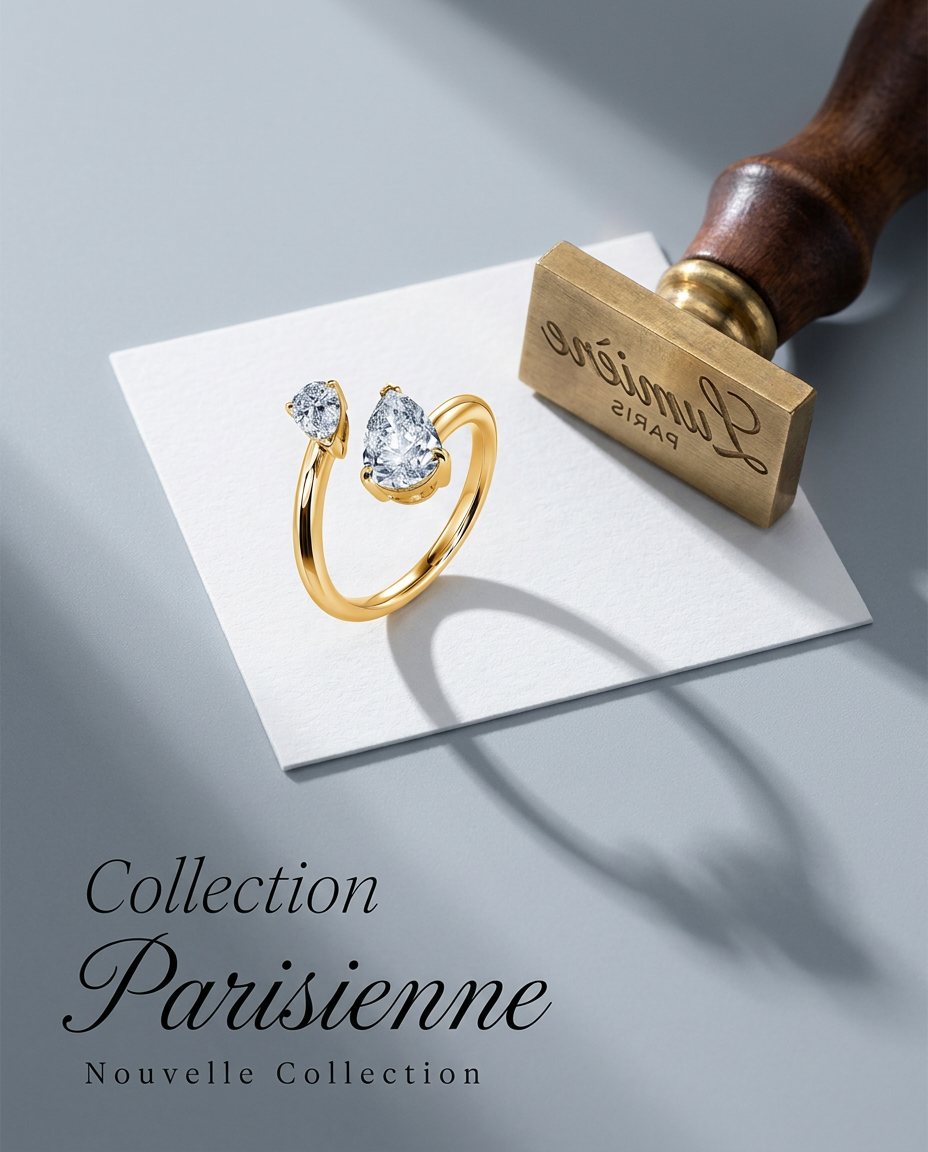
Turn any product into a high-end editorial shot. It drops your item into a clean, flat-lay setup with soft directional light and elegant long shadows against a cool matte gray background.
Regenerate using your own assets.
Step 4: Go beyond mockups to create lifestyle ads and posters
A true product catalog isn't just a series of sterile, white-background product shots. It includes lifestyle images, ad creatives, social media posts, and posters. The same Brandkit-driven workflow that built your core mockups can also generate these richer marketing assets.
Imagine your new food brand. You've already created mockups for the packaging. Now, you need a poster for a launch event or a social media campaign. Instead of just showing the box, you want to evoke a feeling—a taste, a style, a mood. This is often where brands turn to expensive photoshoots or complex design software, but it can be part of the same automated workflow. Similar to how you can create a whole series of consistent AI event posters, you can apply that same logic to your products.
By running a workflow designed for ad creation, MyUP will use your Brandkit to generate a complete poster. It might pull colors from your packaging to create a coordinated background, use your brand fonts for the headline, and place your product in a fully-realized, styled scene. The user's job is to approve the final composition; MyUP handles the complex production of turning brand elements into a compelling ad.
To turn your product packaging into a bold, vibrant ad poster, use this workflow:
Workflow code: #myup-tbky-nciq
Food Brand Poster

Instantly turn any food or drink product packaging into a bold, vibrant retro poster. The system automatically reads your bottle or box to grab its exact colors and ingredients, then crafts a perfectly coordinated vintage background around it.
Regenerate using your own assets.
Your mockup workflow is now a brand asset
By shifting from one-off image generation to a catalog workflow, you transform a repetitive cost center into a scalable brand asset. Your system for creating mockups is now as valuable as the designs themselves. When you launch a new product or a seasonal design, you don't have a week of tedious production ahead of you. You simply run your new design through your established set of workflows.
This is the modern way to build a brand's visual identity. Define your brand once in a MyUP Brandkit. Then, use workflows to automatically apply it everywhere, giving you a complete, consistent visual system in minutes, not days. Ready to build your first catalog? Create an account on MyUP.ai and set up your Brandkit.
